
Infinite Flight Auto Thrust (A/THR)
A real Airbus thrust lever on your phone: detents you can feel at TOGA, FLX/MCT, CLIMB and IDLE. Drop it into a gate and autothrust takes the lever — holding climb thrust or trimming to your speed, hands-free.
Auto thrust (A/THR) is the Airbus autothrottle, recreated in SkyYoke for Infinite Flight. The thrust lever has real detents — TOGA, FLX/MCT, CLIMB, IDLE and a reverse zone — each with a haptic click. Slide it into a forward detent and A/THR engages: the lever backdrives itself, a teal A/THR tag pins over it, and the FMA shows the live law — THR CLB, SPEED or THR IDLE. Tap the tag and the lever is yours again.
Detents you can feel, then hands-free thrust
- Slide to CLIMBDetents click at IDLE · CLIMB · FLX/MCT · TOGA with haptics.
- A/THR engagedThe teal tag pins over the lever — it backdrives itself.
- THR CLBAutothrust holds climb thrust the whole way up.
- Speed modeNearing the level, it trims the thrust to your speed.
- Tap to disconnectOne tap and the lever is yours again.
On an Airbus, the thrust levers do not slide freely — they click into named gates, and where the lever sits tells the engines and the autothrust what to do. SkyYoke recreates that lever exactly. Instead of a blank slider, the throttle has real detents, and each one gives a haptic click under your thumb as you cross it. You can find CLIMB or IDLE by feel, eyes on the runway, exactly as you would in the real thing.
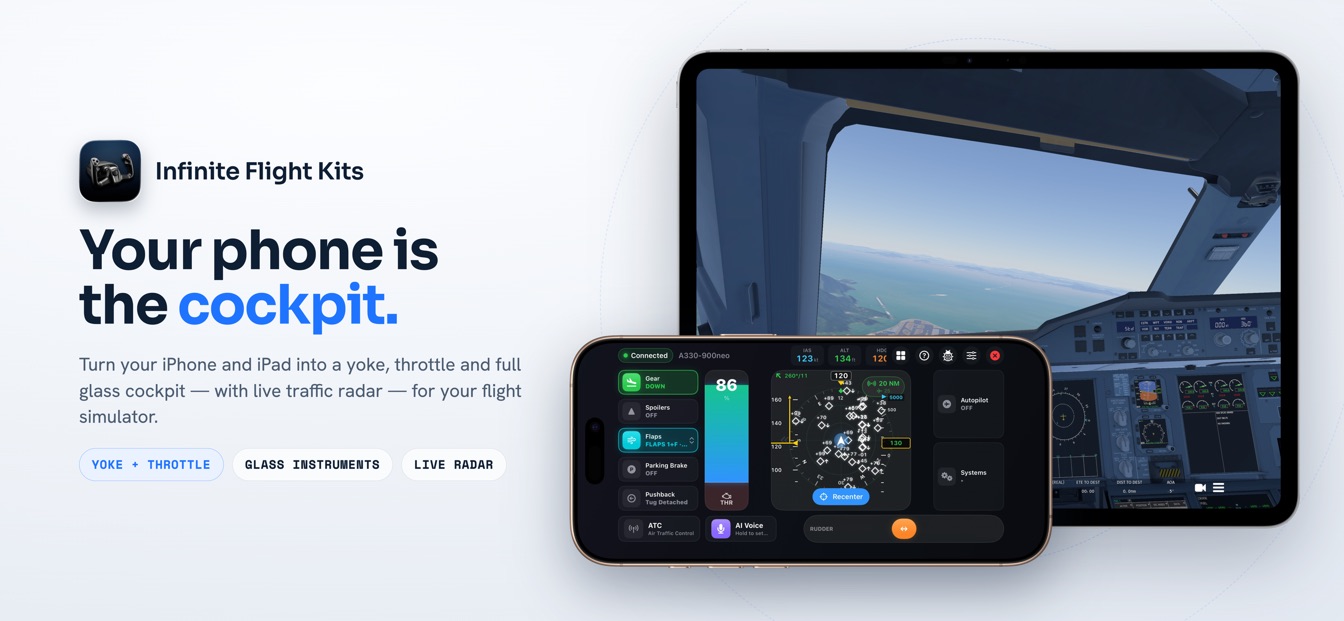
The gates: TOGA, FLX/MCT, CLIMB, IDLE, reverse
The lever runs from full reverse at the bottom to maximum thrust at the top, with a gate at each meaningful position:
| Detent | Position | What it commands |
|---|---|---|
| TOGA | Full forward | Maximum takeoff and go-around thrust. |
| FLX/MCT | Upper | Flex (reduced) takeoff thrust, and maximum continuous thrust. |
| CLIMB | Mid | The normal A/THR detent — leave it here and autothrust flies the rest. |
| IDLE | Centre | Flight idle; the boundary into the reverse zone. |
| REV / REV FULL | Reverse zone | Reverse thrust on the ground — and proportional wheel brakes below ~40 kts. |
Every detent except the idle boundary buzzes as you sweep past it, so a takeoff feels like the real sequence: push up through the click into FLX/MCT or TOGA, then, after the thrust reduction, bring it back into the CLIMB gate and let go.
Drop it in CLIMB, and A/THR flies the lever
That CLIMB detent is where the autothrust comes alive. Set the lever there and A/THR engages: SkyYoke backdrives the lever itself — the slider moves under software control while the engines are managed for you — and a teal A/THR tag pins over the lever reading "Tap to disconnect". During an open or managed climb it holds fixed THR CLB thrust; as the jet nears its level it trims back to SPEED (or MACH up high) to hold your target; and in the descent it sits at THR IDLE. You watch it all happen on the lever and on the FMA — you never have to chase the throttle.
Reading it on the FMA — and taking it back
The PFD's Flight Mode Annunciator mirrors the autothrust the same way a real Airbus does. The engagement stack shows A/THR in white when it is active and cyan when only armed, while the thrust column reads the live law: MAN TOGA on the takeoff roll, THR CLB in the climb, SPEED or MACH when holding a target, and THR IDLE in the descent. To take the thrust back, tap the teal tag — a "AUTO THRUST OFF" banner flashes and the lever is handed back to your thumb.
The engine behind the whole climb
Auto thrust is what makes the climb modes work: open climb and managed climb both rely on A/THR to hold THR CLB while the aircraft flies speed on the elevator, and the Violation Avoidance System pulls the thrust to idle when it needs to bleed speed on the way down. It is a complete Airbus thrust system, driven from your iPhone. SkyYoke is on the App Store now — download it on the App Store / Google Play and feel the detents on your next departure.
Frequently asked questions
How A/THR engages, what the detents do, and how the lever handles reverse.
What is auto thrust (A/THR) in SkyYoke?+
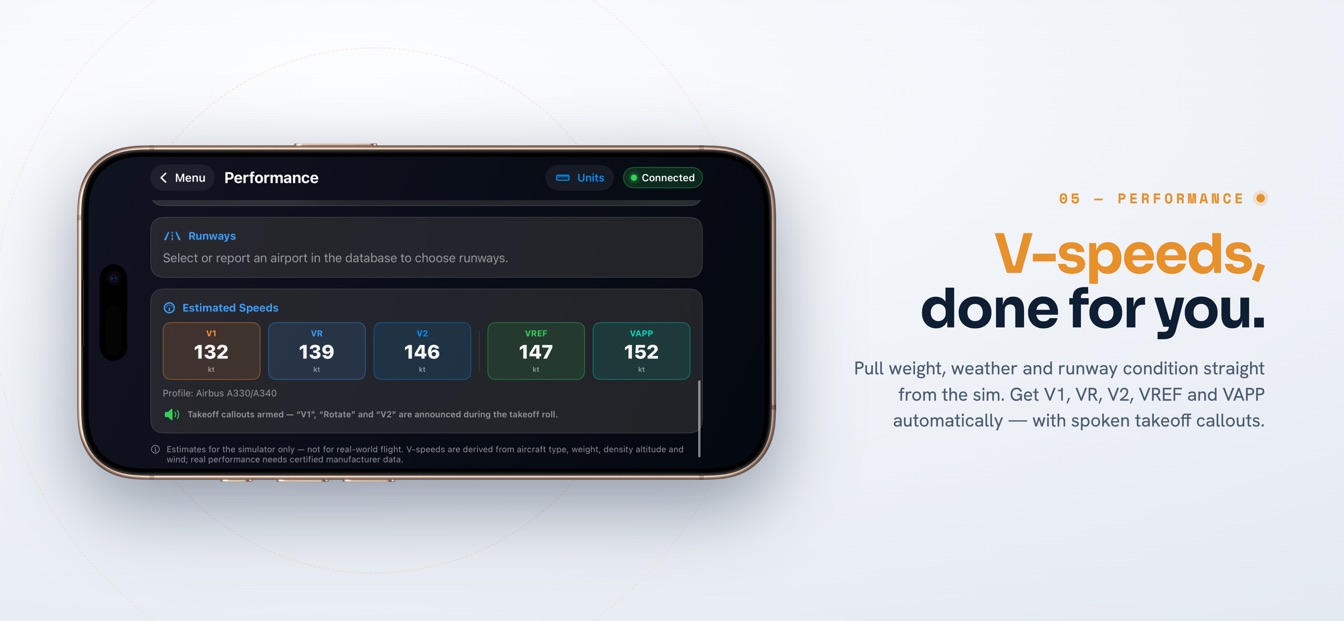
Auto thrust is the Airbus autothrottle, recreated in SkyYoke for Infinite Flight. Instead of a plain slider, the thrust lever has real Airbus detents — TOGA, FLX/MCT, CLIMB, IDLE and reverse — with a haptic click at each gate. Drop the lever into a forward detent and A/THR takes over: it flies the lever for you, holding climb thrust or trimming to your target speed, and a teal A/THR tag pins over the lever.
What are the thrust detents on the Airbus lever?+
From the top down the gates are TOGA (maximum takeoff/go-around thrust), FLX/MCT (flex takeoff and maximum continuous thrust), CLIMB (the normal autothrust detent), IDLE, then a reverse zone with REV and REV FULL. Each detent gives a haptic click as you cross it, so you can feel the gate you are in without looking — just like moving a real Airbus thrust lever through its notches.
How do I engage and disconnect A/THR?+
Slide the lever into a forward detent such as CLIMB to engage A/THR; the lever then backdrives itself and a teal A/THR tag appears over it, reading “Tap to disconnect”. Tap that tag to disconnect, and a teal “AUTO THRUST OFF” banner flashes as the lever is handed back to you. The FMA thrust column shows the active law — THR CLB, THR IDLE, SPEED or MACH.
What does the FMA show while A/THR is active?+
The PFD's Flight Mode Annunciator shows A/THR in white when active (cyan when only armed), and the thrust column reflects the live law: MAN TOGA on the takeoff roll, THR CLB in the climb, SPEED or MACH when trimming to a target, and THR IDLE in the descent. It matches what a real Airbus flight deck displays.
How does the thrust lever handle reverse and braking?+
The same lever handles it all. Below IDLE is a spring-loaded reverse zone with REV and REV FULL detents; on the ground below about 40 knots that zone acts as proportional wheel brakes, and the readout switches to BRAKE %. Reverse is cut with a PAUSED indication if you try to use it airborne. Release the reverse zone and the lever springs back to idle.
Now on the App Store.
SkyYoke is available now — download it on the App Store and turn your iPhone into a full flight-sim cockpit.
Download on the App Store Get it on Google Play