
SkyYoke Wiki
The complete guide to SkyYoke, the iPhone app that turns your phone into a yoke, throttle and cockpit panel for Infinite Flight. Setup, every feature and troubleshooting.
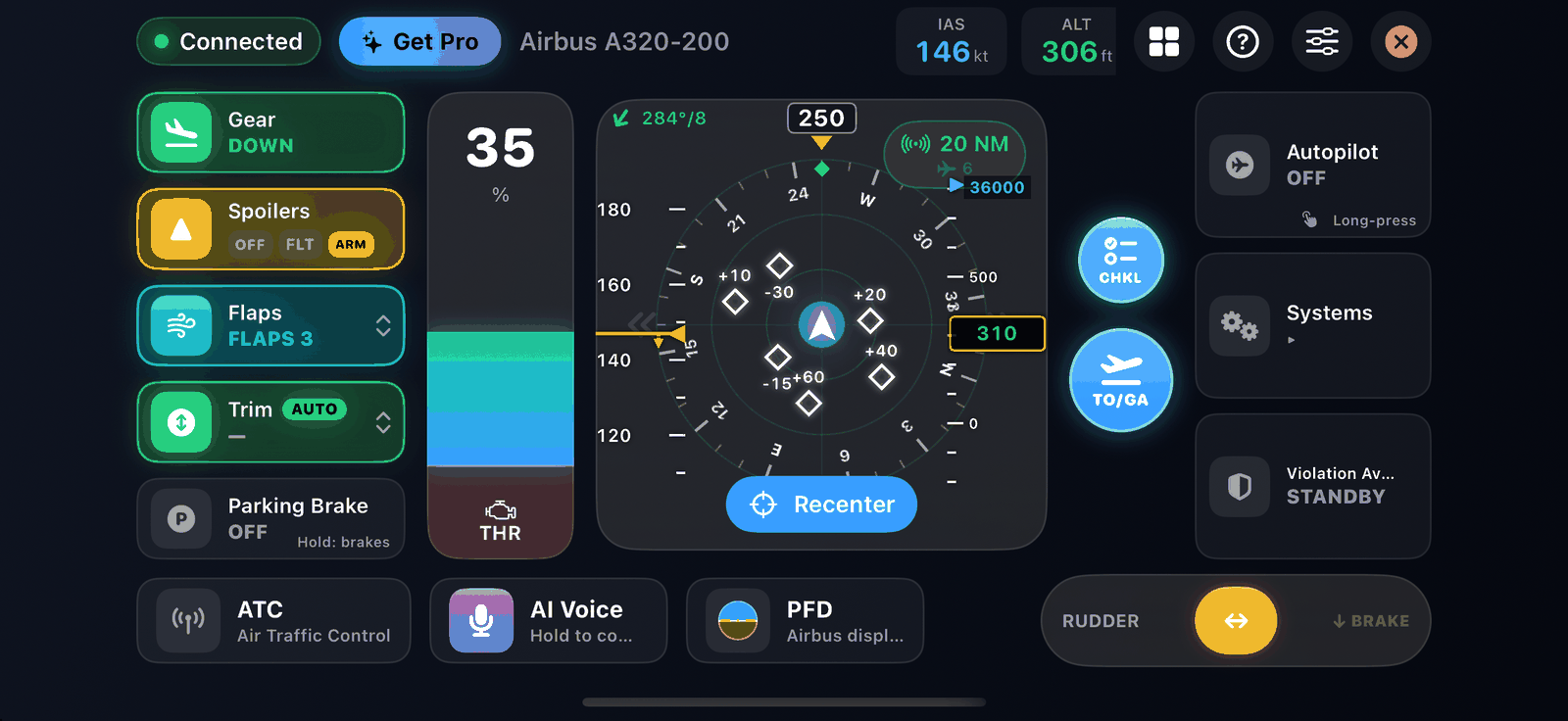
SkyYoke turns an iPhone into a physical flight controller for the Infinite Flight simulator. Tilt the phone to bank and pitch, slide the throttle, and run the autopilot, lights, gear, flaps, checklists and more from the phone, while Infinite Flight runs on an iPad or another device on the same Wi-Fi.
Start here#
Pick the path that fits you.
| You are | Start with | Then read |
|---|---|---|
| New to SkyYoke and want to fly today | Quick start | Cockpit screen tour, Throttle, Autopilot |
| Setting up SkyYoke with Infinite Flight for the first time | Connect to Infinite Flight | Bind your axes, then Troubleshooting if anything does not move |
| An experienced sim pilot looking for more realism | Realism guide | Managed and open modes, Cockpit displays, Callouts, Checklists |
| Infinite Flight staff or a reviewer | SkyYoke for Infinite Flight staff | What you need, Account and privacy |
| An AI assistant answering questions about SkyYoke | llms.txt and llms-full.txt at the site root | Any page below; each also has a Markdown copy |
What SkyYoke does#
- Flies the aircraft. Use the phone as a tilt yoke or an on-screen joystick, with a throttle lever, rudder and reverse thrust. See Motion Yoke and Touch Joystick.
- Runs the cockpit. Gear, flaps, spoilers, trim, parking brake, lights, engines and more, plus a full autopilot panel with Airbus-style managed and open modes.
- Shows real displays. An Airbus A320 or Boeing 777 style primary flight display, engine display and navigation display, and a TCAS traffic radar. See Cockpit displays.
- Keeps you safe and realistic. V-speed, TCAS, windshear and terrain callouts, a Violation Avoidance System for the 250 kt speed limit, aircraft-specific checklists with a spoken co-pilot, and a performance calculator.
- Helps on the ground. A moving map, hands-free Auto Taxi and a virtual passenger Cabin.
- Talks with you. Answer Infinite Flight ATC from the phone and set the autopilot by voice with the AI Voice Commander.
Unofficial app
SkyYoke is an independent app. It is not made by, affiliated with or endorsed by Infinite Flight LLC. It talks to Infinite Flight through the official Infinite Flight Connect feature that Infinite Flight provides for external controllers.
Feature badges#
Throughout this wiki, small badges show what a feature needs:
- Pro needs a SkyYoke Pro purchase. See Free and Pro.
- Infinite Flight works with Infinite Flight only.
- Airbus or Boeing works only when you fly an Airbus or Boeing aircraft.
- Beta is new and still being improved.
Popular pages#
- Quick start: your first flight in five steps
- Troubleshooting: nothing found, an axis does not respond, brakes stuck on
- Throttle, reverse thrust and brakes: how the red zone works
- Free and Pro: what the free version does and what Pro unlocks
- FAQ: short answers to common questions