
Auto Taxi (beta)
Let SkyYoke taxi your Infinite Flight aircraft hands-free along real taxiway centrelines, holding short of runways and asking before every crossing.
Auto Taxi drives your aircraft along the taxiways for you Infinite Flight Beta. You draw the route on the moving map, check it, and SkyYoke steers, sets the thrust and brakes. Touch any control and it hands the aircraft straight back to you.
- Start the engines and release the parking brake.
- Open the Map from the Flight Menu and tap Auto Taxi.
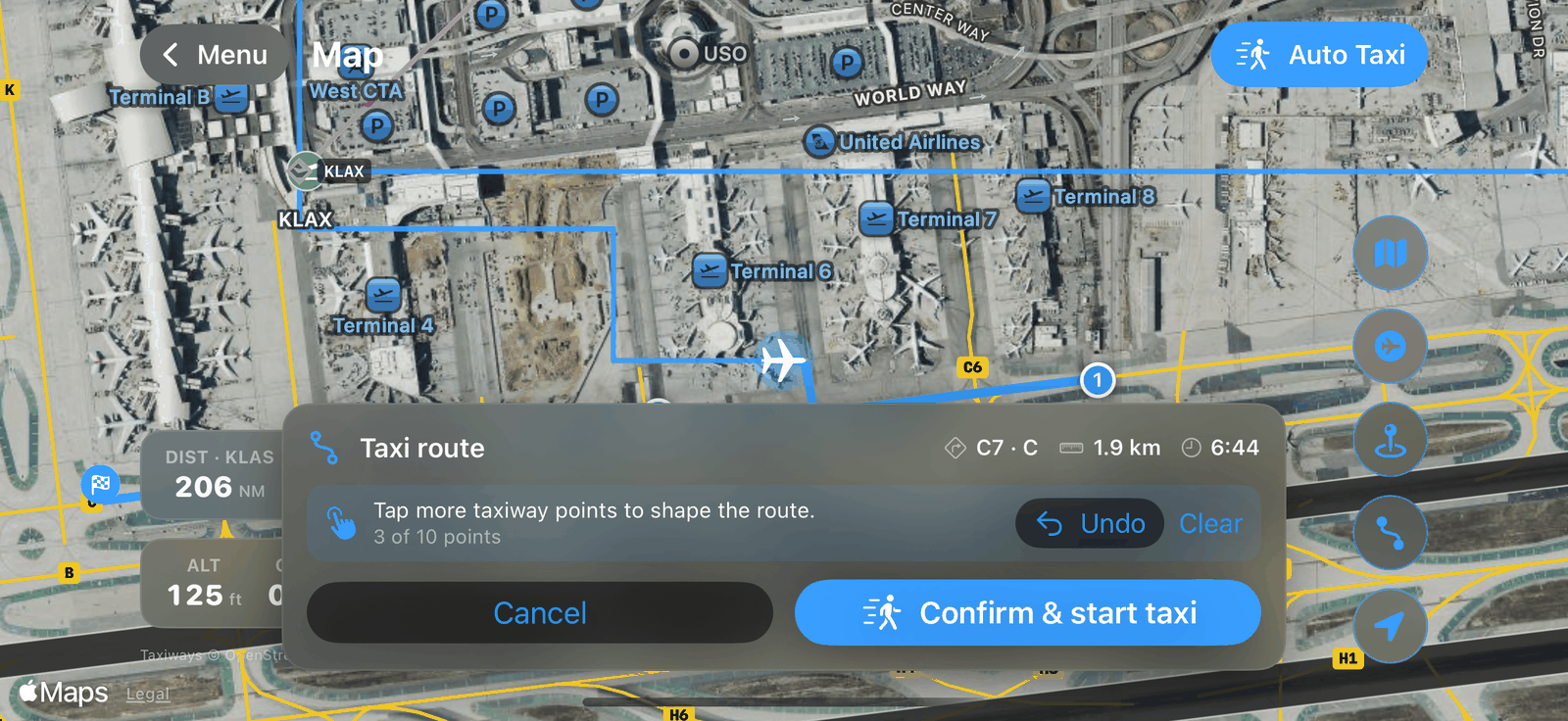
- Tap the taxiways you want to follow, in order, up to 10 points. The route draws as you go. Or simply hold a taxiway to go straight there.
- Check the route preview: the taxiways used, the distance and the time. Drag the orange point to reroute through another taxiway, or use Undo.
- Tap Confirm & start taxi.
- SkyYoke stops short of any runway on the route. Look out, then tap Confirm runway crossing to continue.
- Tap Stop at any time, or just move a control, to take over.
Before you start#
| Requirement | Message if not met |
|---|---|
| On the ground | "Auto-taxi needs the aircraft on the ground." |
| Engines running | "Start both engines to auto-taxi." |
| Parking brake released | "Release the parking brake to auto-taxi." |
| A taxiway in front of you | "The taxiway is behind the aircraft — push back first." |
| Close to a taxiway | "The aircraft is too far from any taxiway." |
| A major airport | "No taxiway map for this airport." |
Runway crossings#
If the route crosses a runway, the preview says so and SkyYoke holds short and asks you to confirm before crossing. At some airports a runway has no surveyed position, so its crossing cannot be detected; the preview warns you to watch for runways yourself.
Screenshot coming soon
Good to know#
- Auto Taxi works only at major hubs. Smaller airports do not have surveyed taxiway data yet.
- The taxiway lines come from external map data, not from Infinite Flight, so the path can differ slightly from the simulator's.
- If you switch away from SkyYoke during a taxi, it stops the aircraft and sets the parking brake.
- It is a beta: keep your hand ready on the controls.