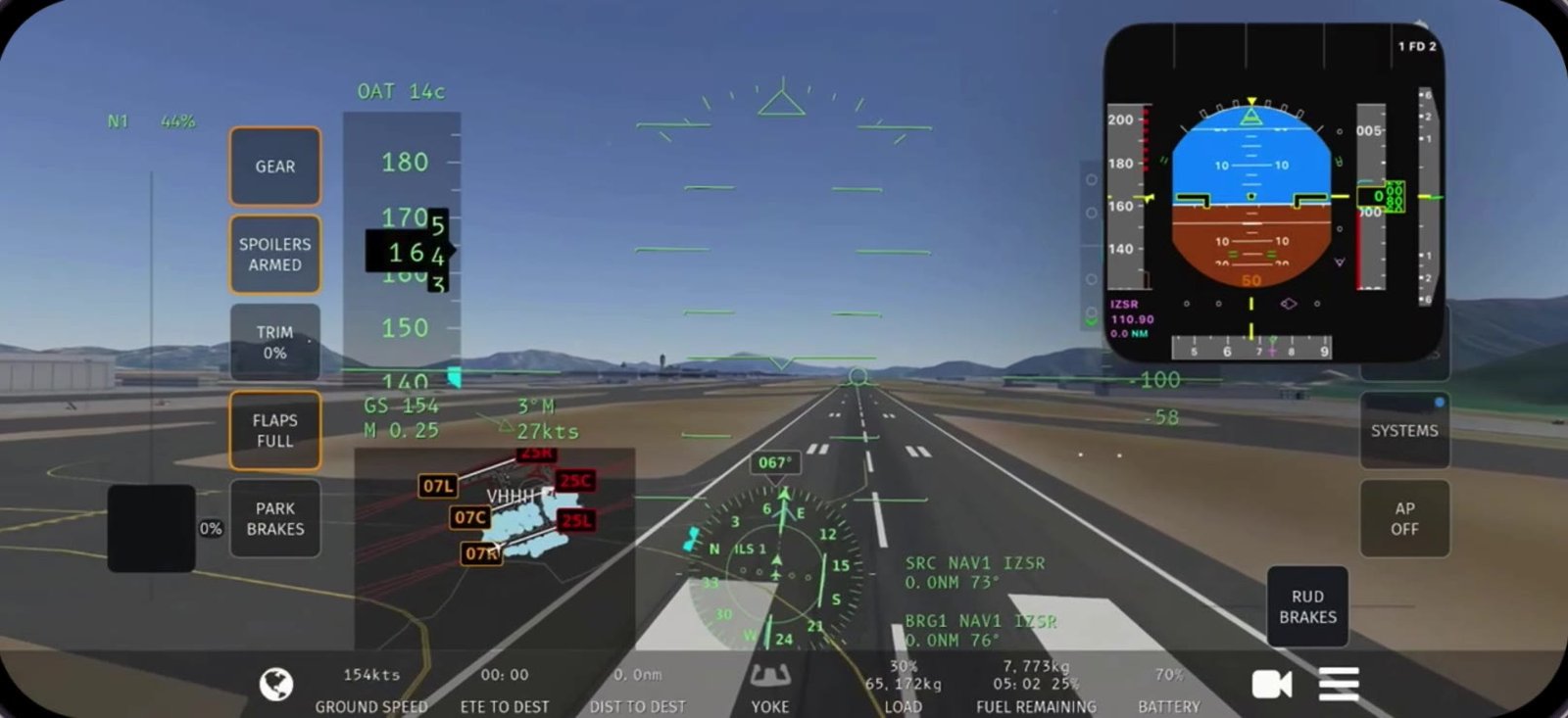
 MOTION YOKE
Motion Yoke
Bank and pitch by tilting your phone. Gravity-based sensing works in any grip, flat on your lap or upright like a column, and re-centers on a tap.
Tilt to bank. Slide to power. Speak to command. SkyYoke is a precision flight controller with a motion yoke, throttle, rudder, autopilot, TCAS radar and an AI copilot.
Free to download · iPhone (iOS 17.2+) and Android · New here? Read the SkyYoke Wiki →
The short answer
SkyYoke is an iPhone and Android app that turns your phone into a yoke, throttle, rudder and glass cockpit for the Infinite Flight simulator. It connects to Infinite Flight on a second device over your local Wi-Fi and flies the aircraft in real time, with no cables or extra hardware.
SkyYoke is independent and is not affiliated with or endorsed by Infinite Flight LLC.
A full cockpit
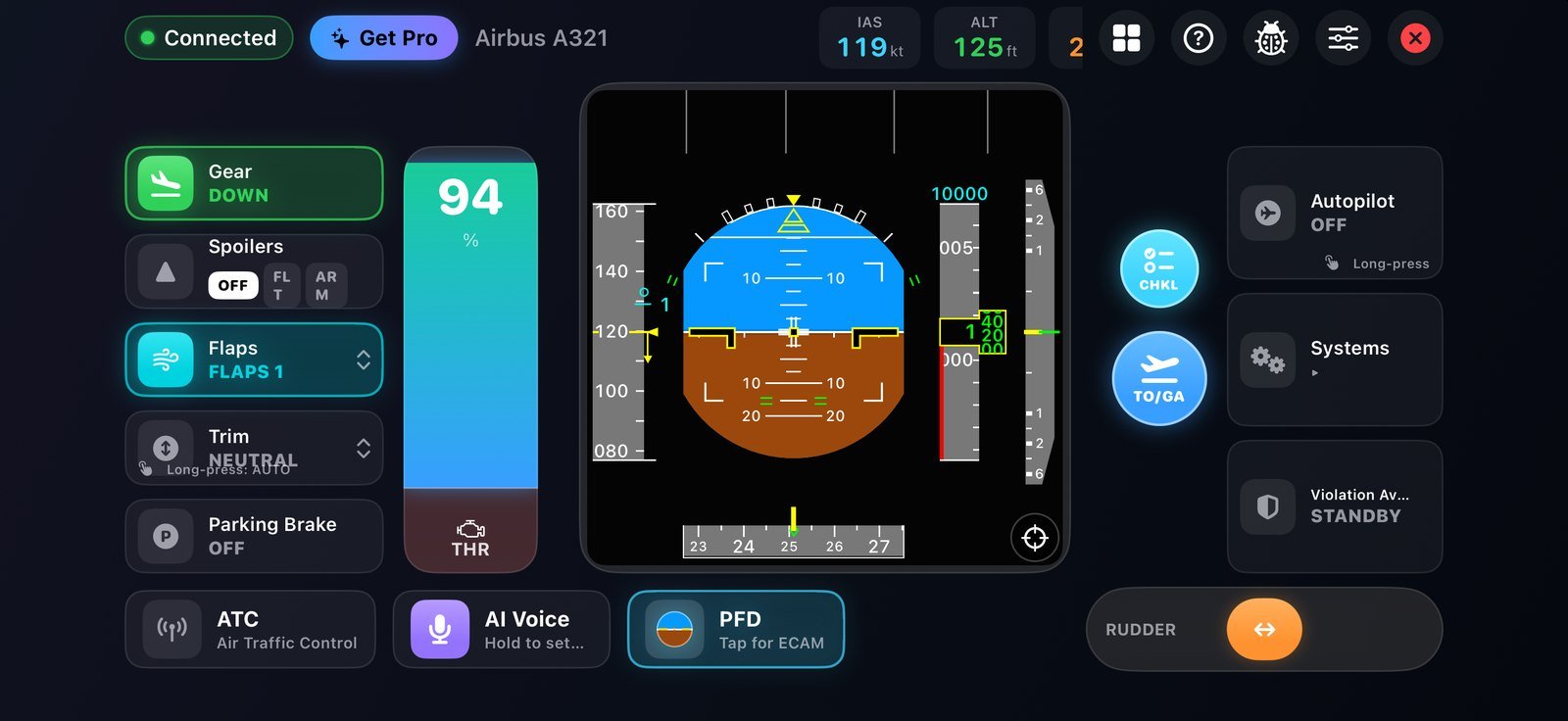
One app replaces a desk full of hardware: yoke, throttle quadrant, rudder pedals and a glass panel, all driven from your iPhone. Every screen below is the real app.
MOTION YOKE
Bank and pitch by tilting your phone. Gravity-based sensing works in any grip, flat on your lap or upright like a column, and re-centers on a tap.
One lever for forward thrust, reverse on the ground and proportional wheel brakes below 40 kts, with airborne-reverse protection built in.
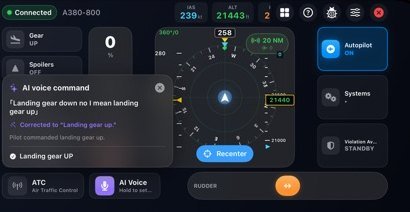 AI VOICE
Press, speak an instruction, and it’s flown. It even corrects your slips. Powered by Apple Intelligence, transcribed and parsed entirely on-device.
Real TCAS II classification: proximate, traffic and resolution advisories, spoken out loud, with closure-rate logic and altitude inhibits.
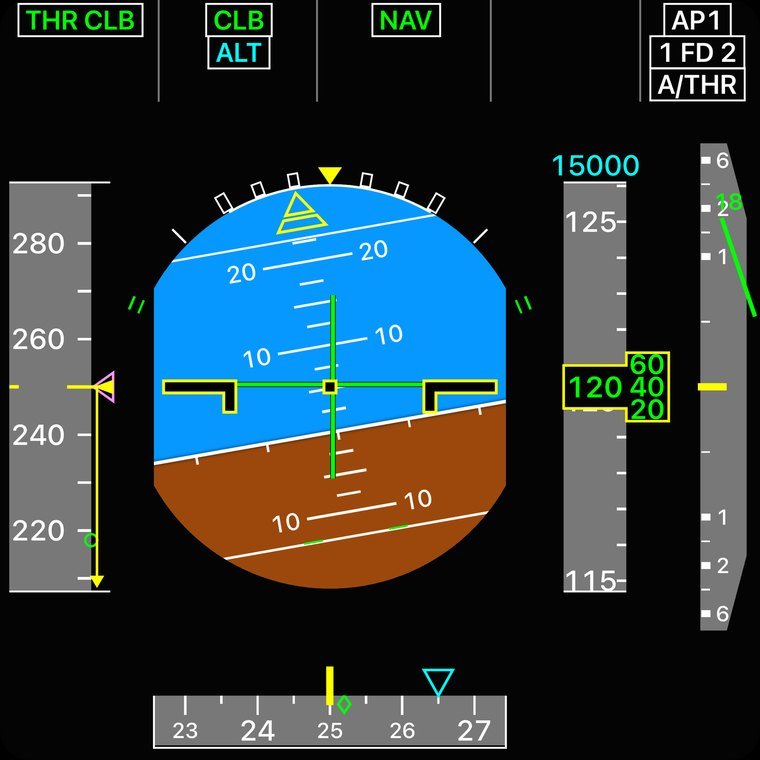 A320 PFD
Airbus-style speed and altitude tapes with trend arrows, selected-value bugs and a full flight-mode annunciator, updating live from your flight.
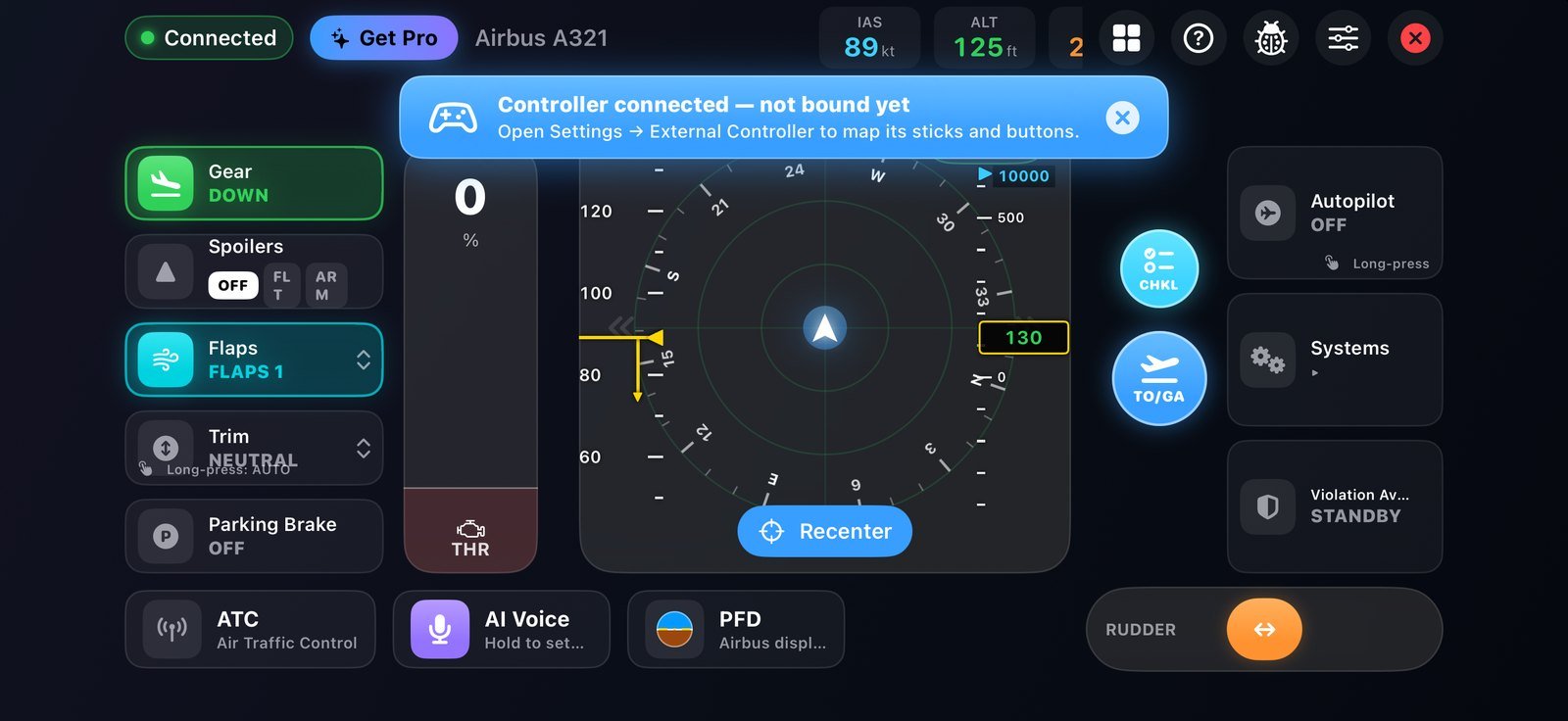 AUTOPILOT ON
ALT, V/S, SPD and HDG with swipe-to-scrub that scales to your speed, plus VNAV, LNAV, APPR and one-tap altitude presets.
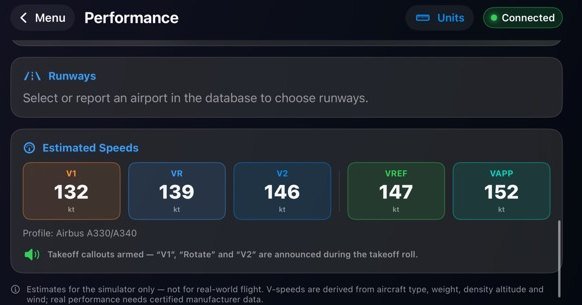
Estimated V1, VR, V2, VREF and VAPP from 16 aircraft profiles, with spoken takeoff callouts and a runway-length check.
Overhead-style panel for electrical, lights, engines and signs, plus a numbered ATC keypad with a timestamped log.
A ground rumble that scales with speed, a heavy gear thunk and runway-seam bumps.
Up and flying in minutes
No cables, no hardware. Two devices on the same Wi-Fi and a one-time setup.
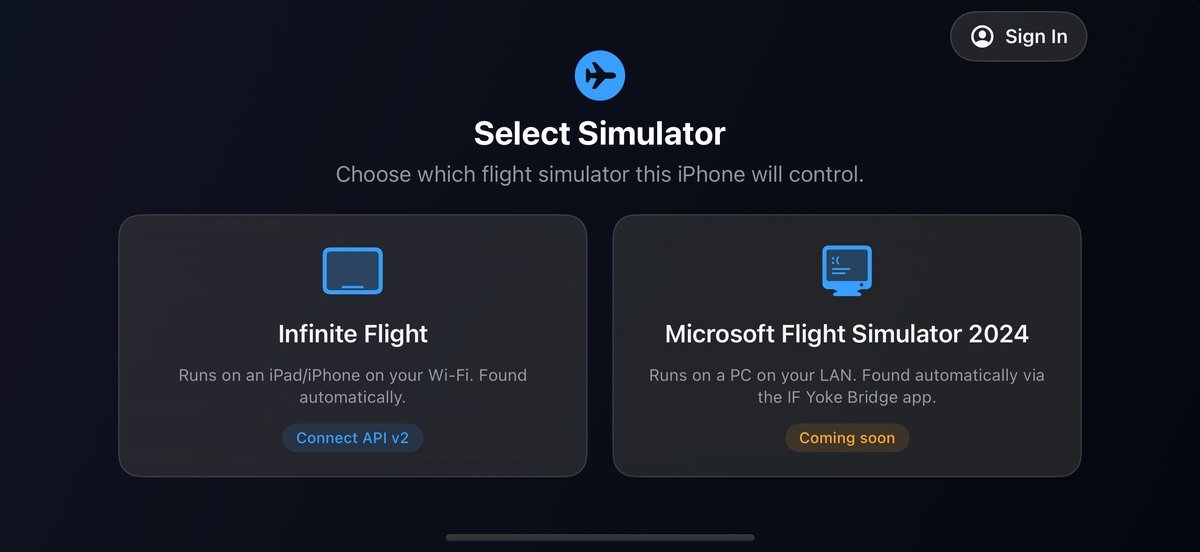
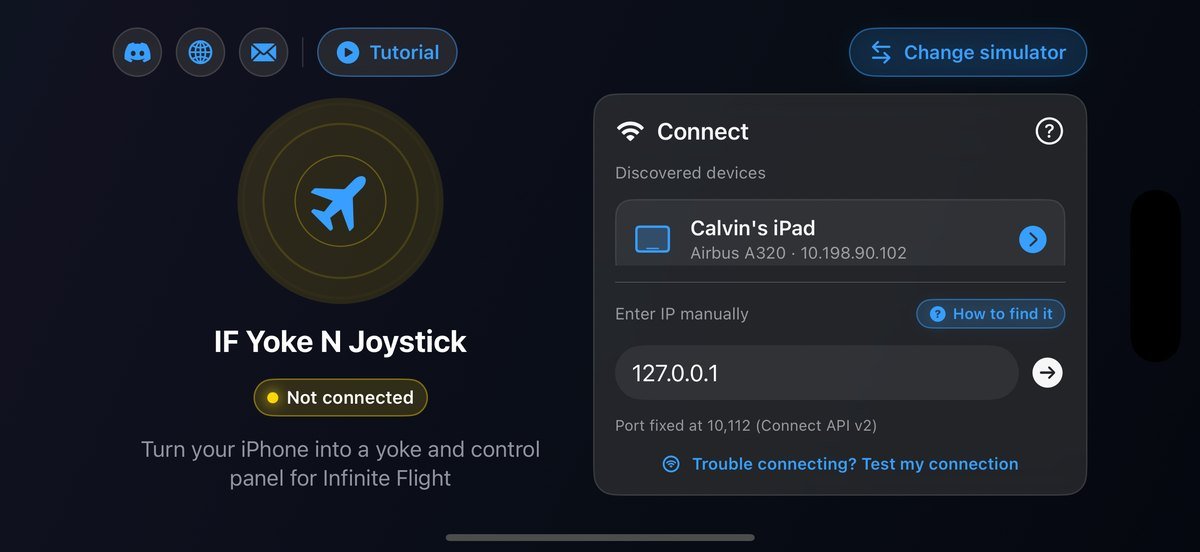
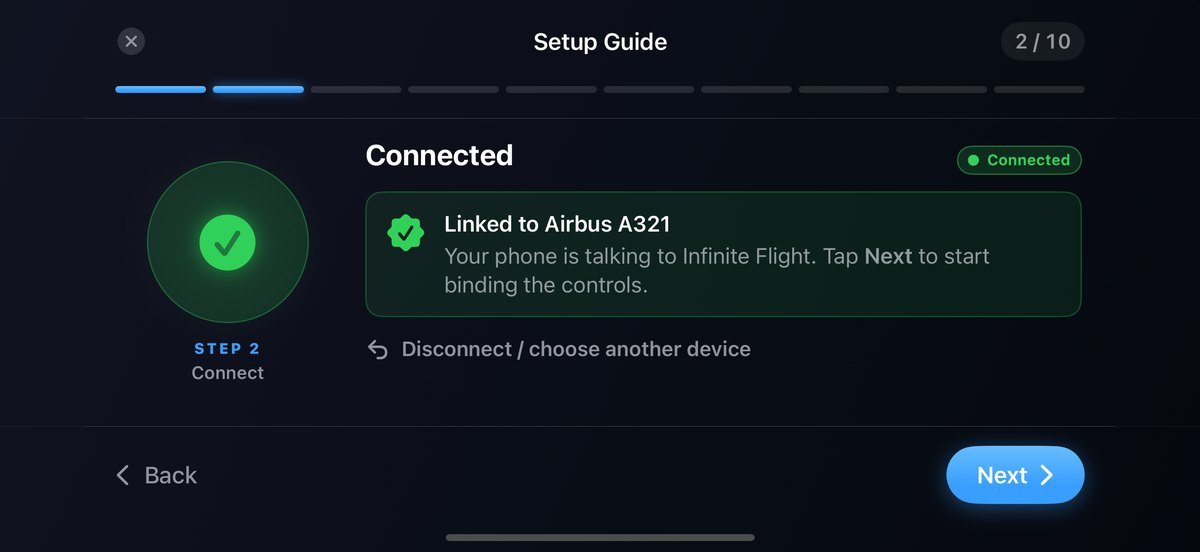
STEP 01
Pick Infinite Flight, keep both devices on one Wi-Fi, and SkyYoke finds your iPad by itself. One tap links them.
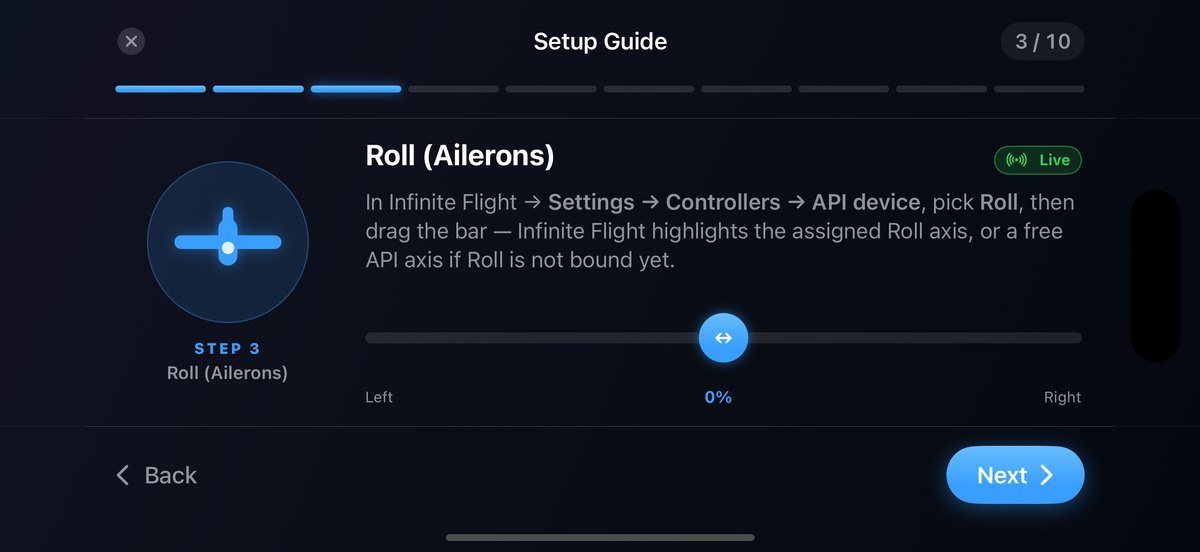
STEP 02
The Setup Guide walks you through mapping roll, pitch, throttle, yaw and brakes in Infinite Flight’s Controllers, just once.
STEP 03
The cockpit opens instantly. Tilt to pitch and roll, slide the throttle for power, speak to command. It responds at 60 Hz.
Single device mode · Floating cockpit
Infinite Flight fills the screen and SkyYoke floats on top in Picture in Picture: your PFD, ND, ECAM or checklist, live, with your First Officer calling it out. You fly with Infinite Flight’s own controls, and SkyYoke connects by itself.
Traffic, windshear and checklist alerts float across the top of the window instead of covering your instruments.
Tap the window, then skip back or forward through PFD, ND, ECAM and the checklist. When traffic is close, TCAS shows the radar first, then hands back.
One press from Infinite Flight
Run them from the Action button, Back Tap or Siri while the floating cockpit is open.
Set up in five steps
Have two devices? Double device mode is still the recommended way to fly: it adds SkyYoke’s motion yoke and throttle. Single device mode needs an iPhone or iPad with Picture in Picture on iOS 17.2 or later; Run Next Checklist, and TOGA or autopilot above 500 ft, need SkyYoke Pro.
New in v1.9 · July 2026
Real primary flight displays, a ground-proximity warning system, recorded Airbus voices, a living cabin, checklists and a smarter map.
A320 · AIRBUS
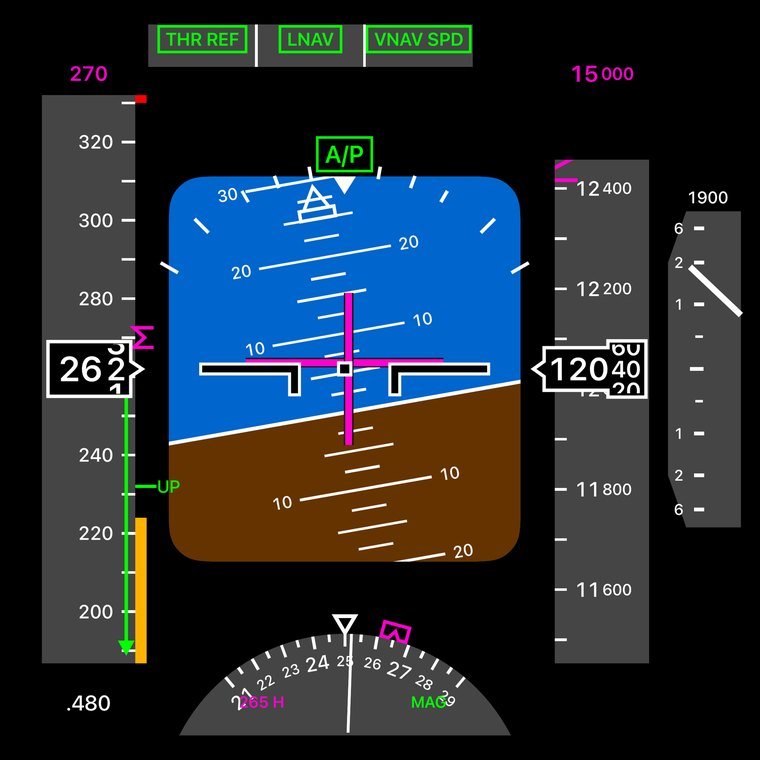
 777 · BOEING
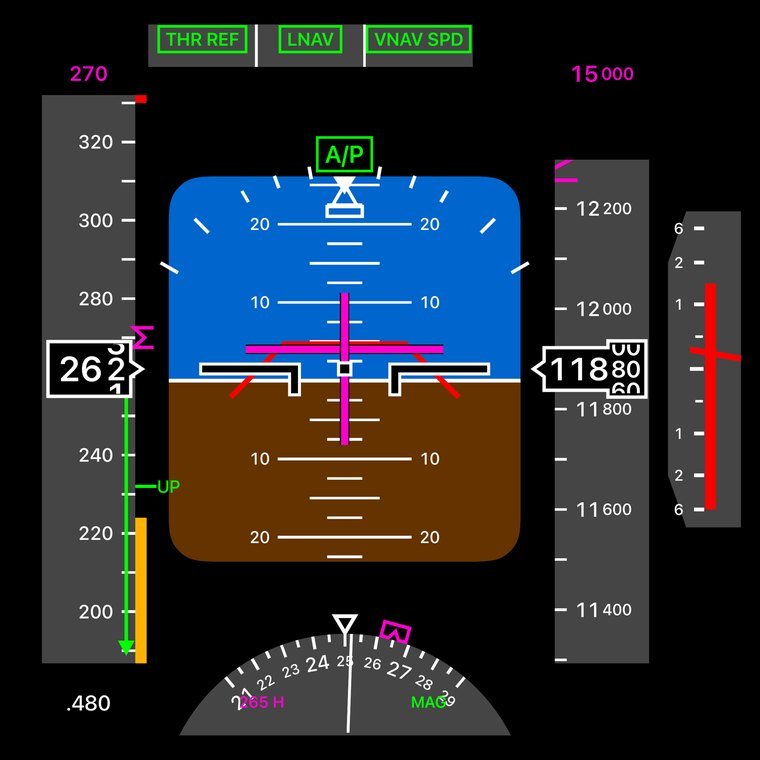
Primary flight display
Fly an Airbus and you get a faithful A320 PFD. Fly a Boeing and you get the 777’s, picked automatically. Attitude, tapes, ILS scales, a flight-mode annunciator, and TCAS pitch cues when a resolution advisory fires.
Checklists
An ECL-style checklist for before takeoff, after takeoff, descent and landing. Your co-pilot reads each item aloud, matched to the aircraft you fly.
RESOLUTION ADVISORY
GPWS · Windshear · TCAS
A Honeywell-style GPWS with Modes 1 to 5, real alert priority, and authentic recorded Airbus voices for TCAS, windshear and GPWS callouts.
 NAVIGATION DISPLAY
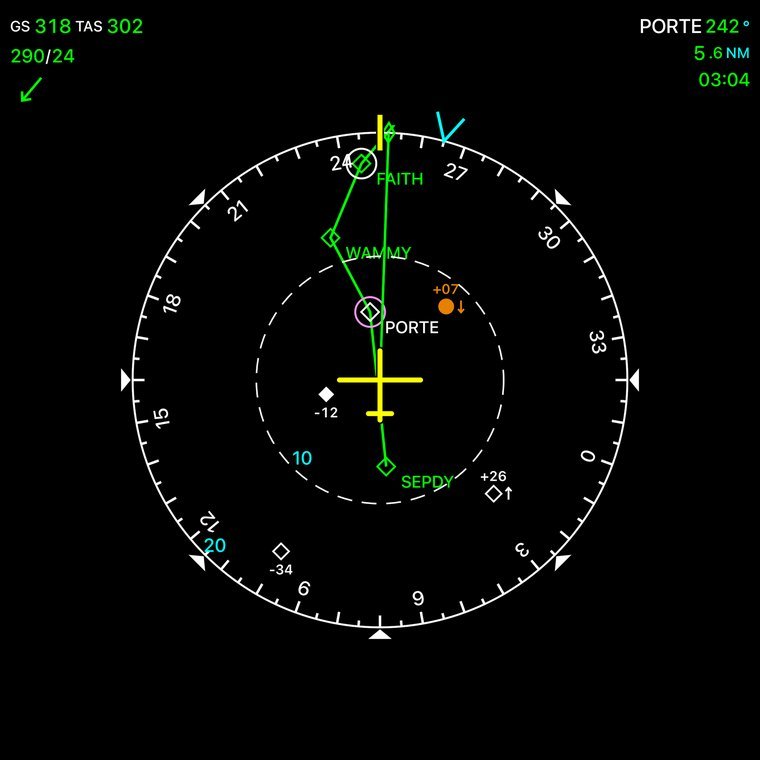
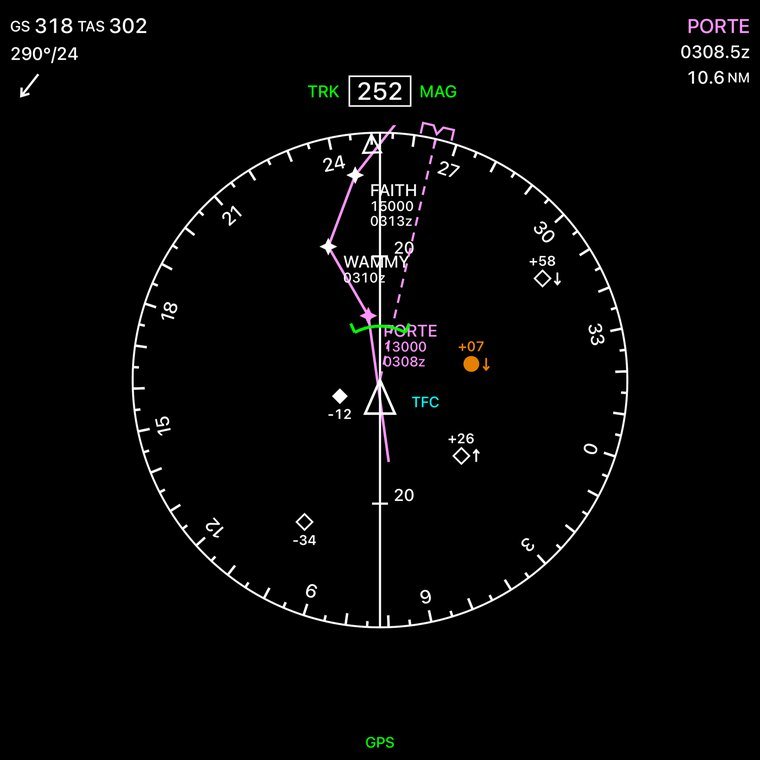
ND · Airbus + Boeing
Airbus and Boeing navigation displays with your flight plan, waypoints, wind and nearby traffic with relative altitude.
 LIVE MAP
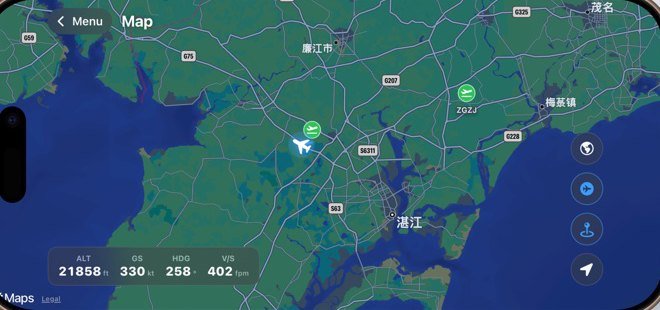
Map, airports & Auto-Taxi
Follow your aircraft over real terrain, tap any contact or airport for a live card, and let Auto-Taxi plan a route that holds short of every runway.
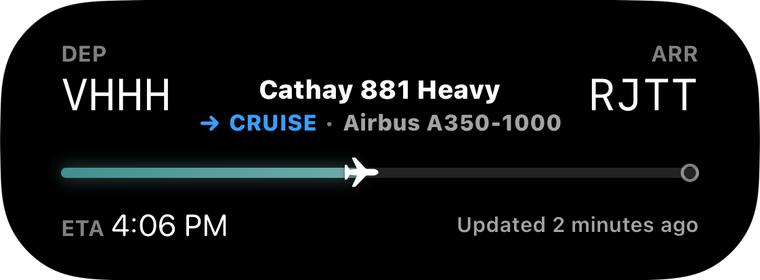
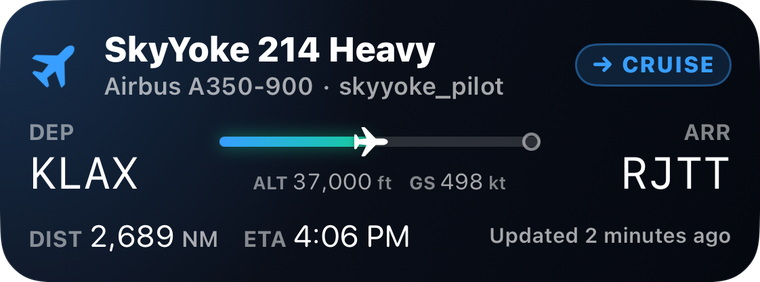
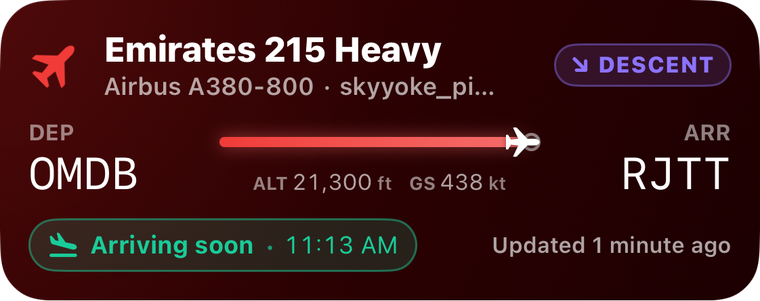
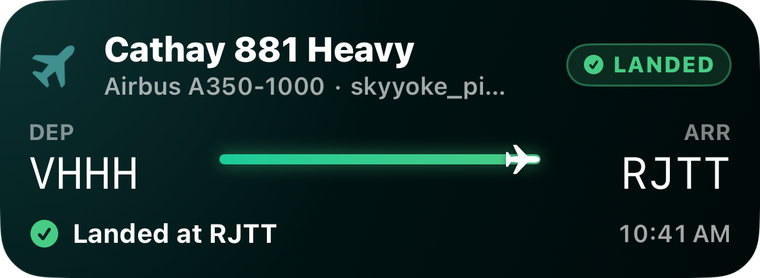
New · Flight Live Activity
Take off on an Infinite Flight multiplayer server and your flight appears on the Lock Screen and in the Dynamic Island: route, progress, altitude, speed and arrival time, updating about once a minute, even after you close SkyYoke.

Engineered for precision
Built on a unit-tested protocol engine that mirrors Infinite Flight’s Connect API down to the byte.
Built for the whole fleet
Every aircraft in Infinite Flight. Airbus types get a joystick feel and the A320 PFD; Boeing types get a yoke feel and the 777 PFD. Pick yours for a setup guide.
Good questions
Everything you need to know before your first flight.
SkyYoke is an unofficial iPhone app that turns your phone into a physical yoke, throttle, rudder and control panel for Infinite Flight. Your iPhone connects to Infinite Flight running on a second device, such as an iPad, over the same Wi-Fi network and flies the aircraft in real time.
Two devices on the same Wi-Fi network: an iPhone running SkyYoke, and a second device, such as an iPad or another phone, running Infinite Flight with the Connect API enabled. You bind five control axes once in Infinite Flight’s Controllers settings, and the in-app setup guide walks you through it.
No. SkyYoke is an independent app built on Infinite Flight’s public Connect API. It is not affiliated with or endorsed by Infinite Flight.
Any iPhone running iOS 17.2 or later. The optional AI Voice Copilot needs an Apple-Intelligence-capable iPhone on iOS 26; on other devices that single feature is simply hidden. SkyYoke is also available for Android phones on Google Play.
Both. Choose Motion Yoke to bank and pitch by tilting the phone using gravity-based sensing, so any grip works, or Touch Joystick for an on-screen self-centering yoke pad. A throttle lever, rudder bar, autopilot and more are always on screen.
No. Speech is transcribed on-device using Apple’s frameworks, and commands are parsed on-device with Apple Intelligence. Your audio never leaves your phone.
No. SkyYoke is for the Infinite Flight simulator only. The V-speeds, performance numbers and takeoff callouts are estimates for the simulator and must never be used for real-world flight or navigation.
SkyYoke is available now on the App Store for iPhone and on Google Play for Android. Download it and connect to Infinite Flight — or Microsoft Flight Simulator 2024 via the free bridge — on your local Wi-Fi network.
Still have questions? The wiki walks through connecting, binding your axes, every feature and troubleshooting, step by step. Open the SkyYoke Wiki →
Now boarding
Download SkyYoke, connect over Wi-Fi, and turn your iPhone into a full glass-cockpit flight controller.
HAPPY LANDINGS.