
Game controllers
Fly Infinite Flight with an Xbox, PlayStation DualSense, Backbone or MFi game controller through SkyYoke, and bind its sticks and buttons to any control.
SkyYoke works with game controllers. Use a controller's sticks and triggers to fly while the phone shows the cockpit, or bind just a few buttons to help.
- Pair the controller with your iPhone in iOS Settings → Bluetooth, or plug in a Backbone.
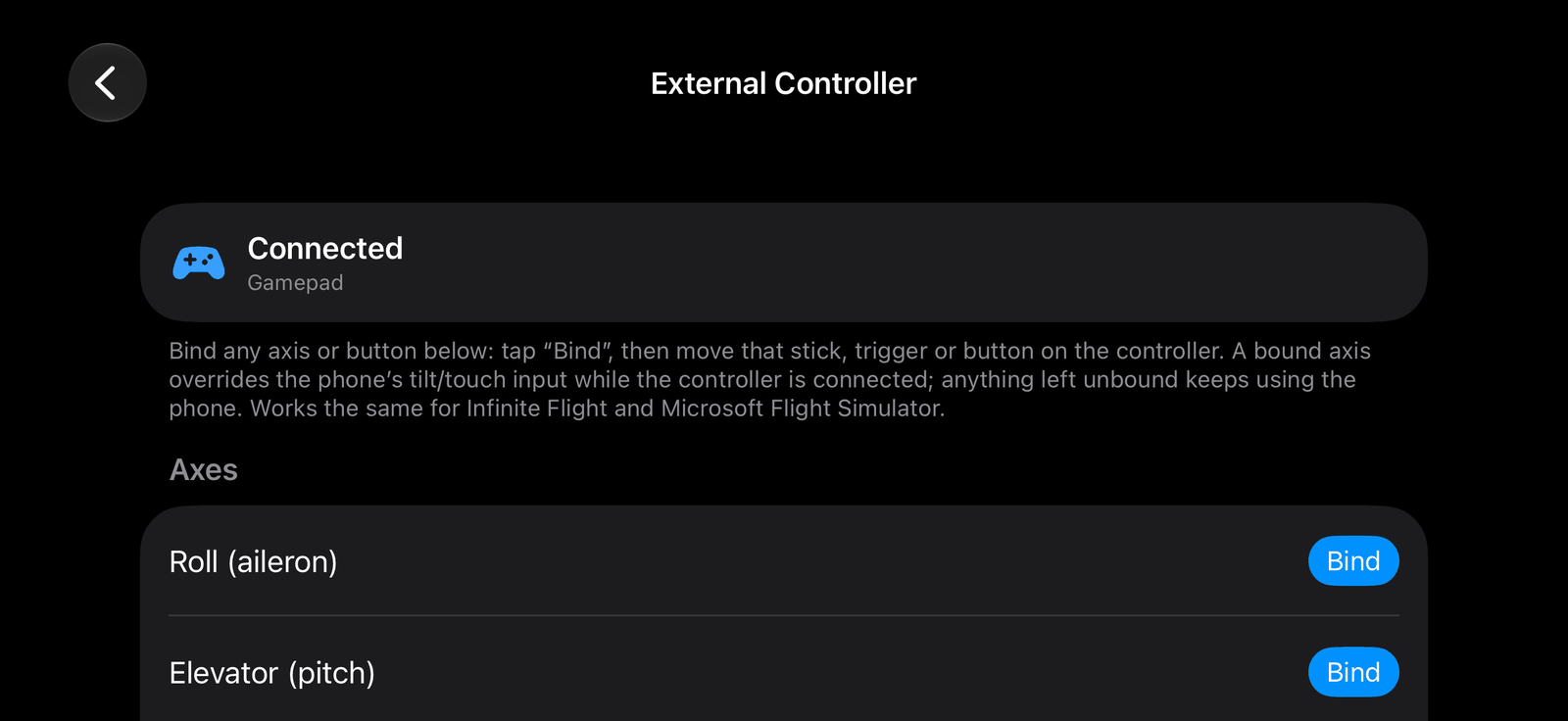
- In SkyYoke open Settings → External Controller. It shows Connected with the controller's name.
- Tap Bind next to a control, then move that stick or trigger, or press that button, on the controller.
- Repeat for every control you want. Turn on Invert for any axis that moves the wrong way.
What you can bind#
| Type | Controls |
|---|---|
| Axes | Roll, Pitch (elevator), Rudder left, Rudder right, Brake, Thrust |
| Buttons | Gear, Flaps up, Flaps down, Spoilers, Parking brake, Pushback, Autopilot, Reverse thrust, Push-to-talk |
Reverse thrust and Push-to-talk act while you hold the button; the others act once per press.
How it works#
- A bound axis takes over from the phone's tilt or touch input while the controller is connected. Unbound axes still use the phone.
- When a controller connects, a short banner confirms it. If nothing is bound yet, the cockpit shows a hint.
- Clear all bindings removes every binding.
Supported controllers include Xbox, PlayStation DualSense, Backbone and other MFi controllers.