
Checklists and co-pilot
Aircraft-specific normal checklists for 33 aircraft families in SkyYoke, with a spoken co-pilot that reads them and ticks what it can verify.
SkyYoke has electronic checklists for every phase of flight, matched to the aircraft you fly Infinite Flight. Open them with the CHKL button beside the yoke. The ring around the button shows your progress.
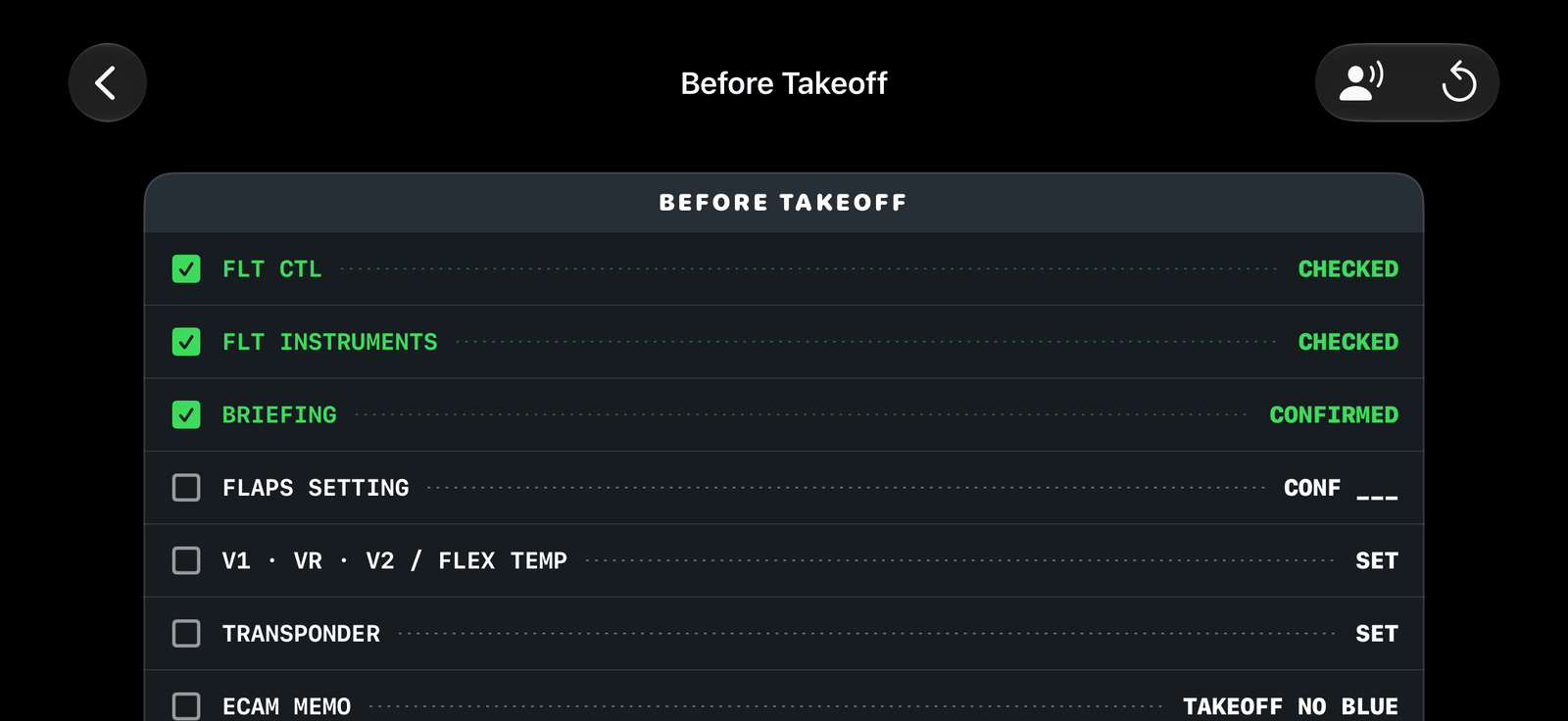
Using a checklist#
There are four checklists: Before Takeoff, After Takeoff, Descent and Landing. Run each one top to bottom and tick a line once you have confirmed it in the simulator, like a real electronic checklist. When every line is ticked it shows CHECKLIST COMPLETE. Reset clears it.
Completing Before Takeoff is required before the TO/GA double-tap works on the ground.
Which aircraft#
SkyYoke picks the checklist by the aircraft name. There are lists for 33 aircraft families, covering about 59 Infinite Flight models, plus a general list for anything else:
| Group | Families |
|---|---|
| Airbus | A220, A320 family, A330/A340, A350, A380 |
| Boeing | 717, 737, 747, 757, 767, 777, 787 |
| Regional and business | Bombardier CRJ, Embraer E-Jet, Dash 8 Q400, Challenger 350, MD-11 / DC-10 |
| General aviation | Cessna 172, Cessna 208 Caravan, Cirrus SR22, PA-28 Archer, TBM-930, XCub |
| Military | A-10, C-130 Hercules, C-17 Globemaster III, F-14 Tomcat, F-16, F-22, F/A-18 Super Hornet, P-38 Lightning, Spitfire |
The checklists are condensed from real-world normal procedures, for simulator use only.
Preset your autopilot#
The checklist shows a tip for a smooth departure: on the ground, set SPD, HDG, LNAV and ALT in the autopilot panel so each arms in white, then once airborne hold the AP button and everything engages at once.
Co-pilot read-along Pro#
Tap Auto-run (Start co-pilot read-along) and a co-pilot reads the checklist aloud. It:
- says each item and the live state it sees in the simulator;
- ticks items it can verify by itself and waits for you on the ones it cannot;
- pauses for safety callouts;
- can switch the cockpit to the engine display when an item asks you to check it.
A pill on the cockpit screen shows it is running. Tap it to reopen the checklist or tap X to stop.
Realistic co-pilot voice Pro#
By default the co-pilot uses the iPhone's built-in voice. For a natural neural voice, turn on Realistic co-pilot voice in the checklist. It needs:
- SkyYoke Pro and being signed in;
- a one-time download of about 325 MB, with at least 750 MB free.
The voice runs entirely on your iPhone: speech and checklist text never leave the device. The download continues in the background and every file is checked before it is installed. If the voice cannot run on your iPhone, the system voice is used instead.
Tip
If the built-in voice sounds robotic, download a Premium English voice in Settings → Accessibility → Spoken Content → Voices → English.