
Systems panel
Control lights, electrics, APU, engines, auto start, signs, fuel dump and cockpit windows in Infinite Flight from SkyYoke's systems panel.
The systems panel holds the switches you use before and after a flight. Open it with the Systems tile on the right of the cockpit screen.
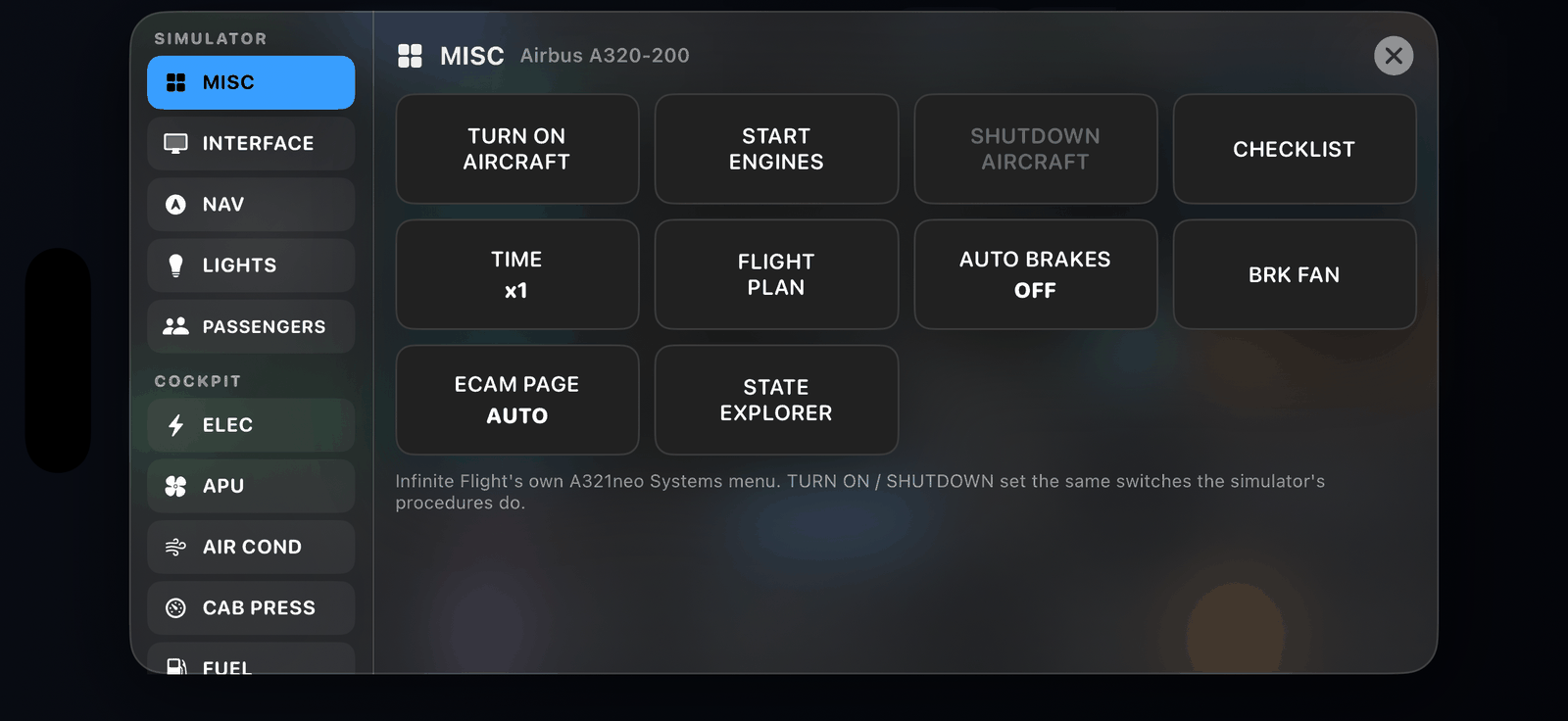
| Section | Switches |
|---|---|
| Misc | Auto Start, Flight Plan, Auto Brakes |
| Interface | Head-Up Display, Flight Path Vector, Flight Data (Infinite Flight's on-screen overlays) |
| Electrical | Main Battery, Auxiliary Power (APU), External Power |
| Lights | Navigation, Strobe, Landing, Beacon and Panel lights |
| Passengers | Seat Belt Sign, No Smoking Sign |
| Engines | Each engine on or off, Fuel Dump |
| Actions | Captain Window, Copilot Window |
Switches the current aircraft does not have are hidden automatically, so the panel looks different from one aircraft to the next.
Starting the engines#
The quickest way is Auto Start: SkyYoke asks Infinite Flight to start every engine in order. To start engines one at a time, use the Engine switches.
A typical cold-and-dark start: Main Battery on, External Power or APU on, Beacon Light on, then Auto Start.
Do it by voice
Say "APU on, beacon on" with the AI Voice Commander Pro.