
Managed and open modes
Fly Airbus and Boeing aircraft in Infinite Flight with real managed and open autopilot modes, Cost Index and SkyYoke's auto-thrust.
Real Airbus and Boeing autopilots offer two ways to fly every target. SkyYoke brings both to Infinite Flight Infinite Flight Airbus Boeing.
| Mode | Who owns the target | How to select | Colour |
|---|---|---|---|
| Open | You: the aircraft flies straight to your dialed altitude or speed | Tap the ALT or SPD cell (the Airbus "pull") | Cyan |
| Managed | The flight management system: it follows your flight plan's altitudes and chooses the best speed | Press and hold the ALT or SPD cell (the Airbus "push") | Magenta |
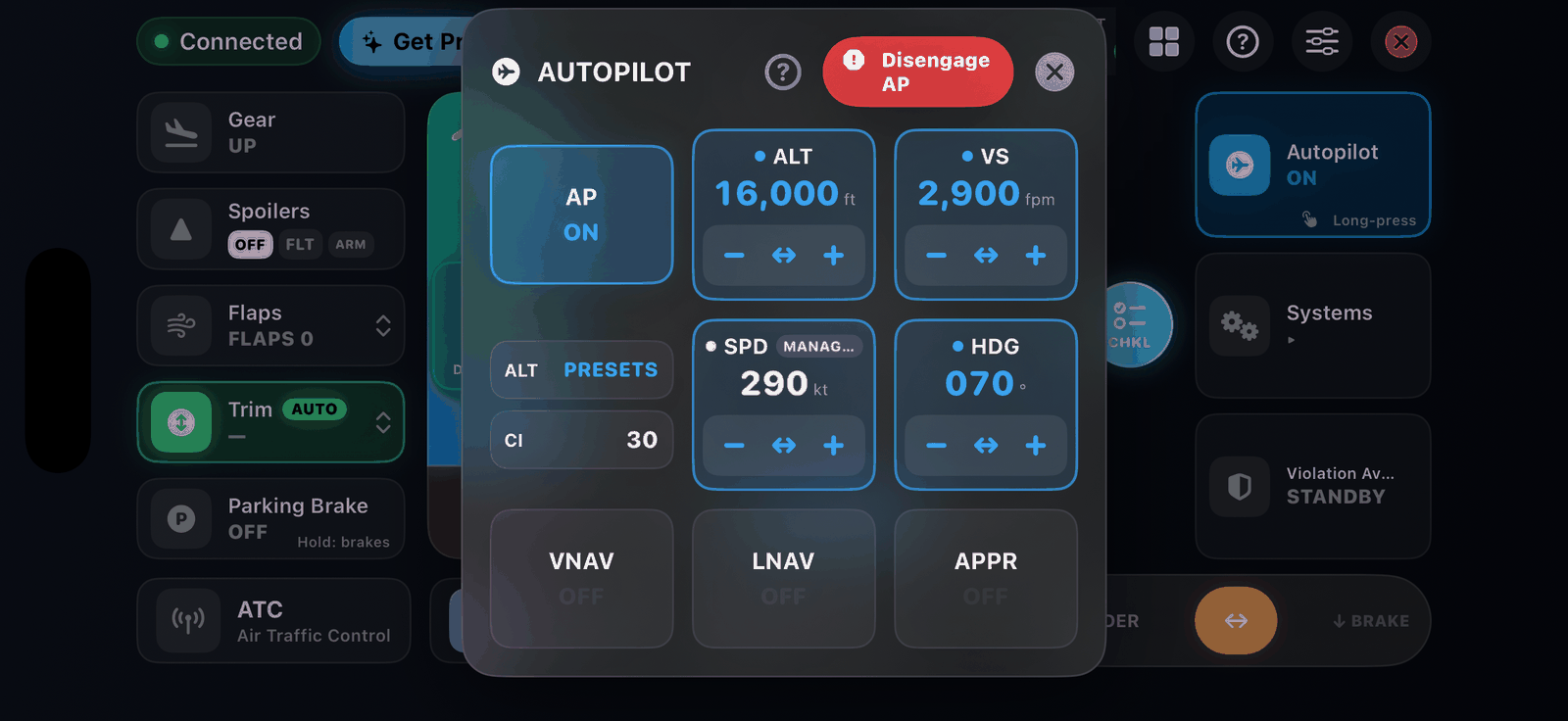
Open mode#
A single tap on ALT or SPD selects open mode. The aircraft goes directly to your dialed value and ignores the flight plan. On the primary flight display you see OP CLB or OP DES on an Airbus, or FLCH SPD on a Boeing, with a cyan target.
Managed mode#
Press and hold ALT or SPD. A magenta ring sweeps the cell, then the MANAGED chip lights up.
- Managed altitude levels off at each waypoint altitude in your flight plan, then continues automatically. Your dialed altitude is always the limit: it never climbs or descends past it, like the real FCU.
- Managed speed computes the speed for you: 240 kt below 10,000 ft and a fast, economical cruise above, set by the Cost Index.
Add altitudes to your flight plan
Managed altitude only follows a profile when your Infinite Flight plan has altitudes on its waypoints. Without them it simply climbs or descends straight to your dialed altitude. Infinite Flight plans carry no waypoint speeds, so managed speed is always computed for you.
The flight mode annunciator shows CLB, DES and ALT CST when managed on an Airbus, and VNAV SPD and VNAV PTH on a Boeing.
Cost Index#
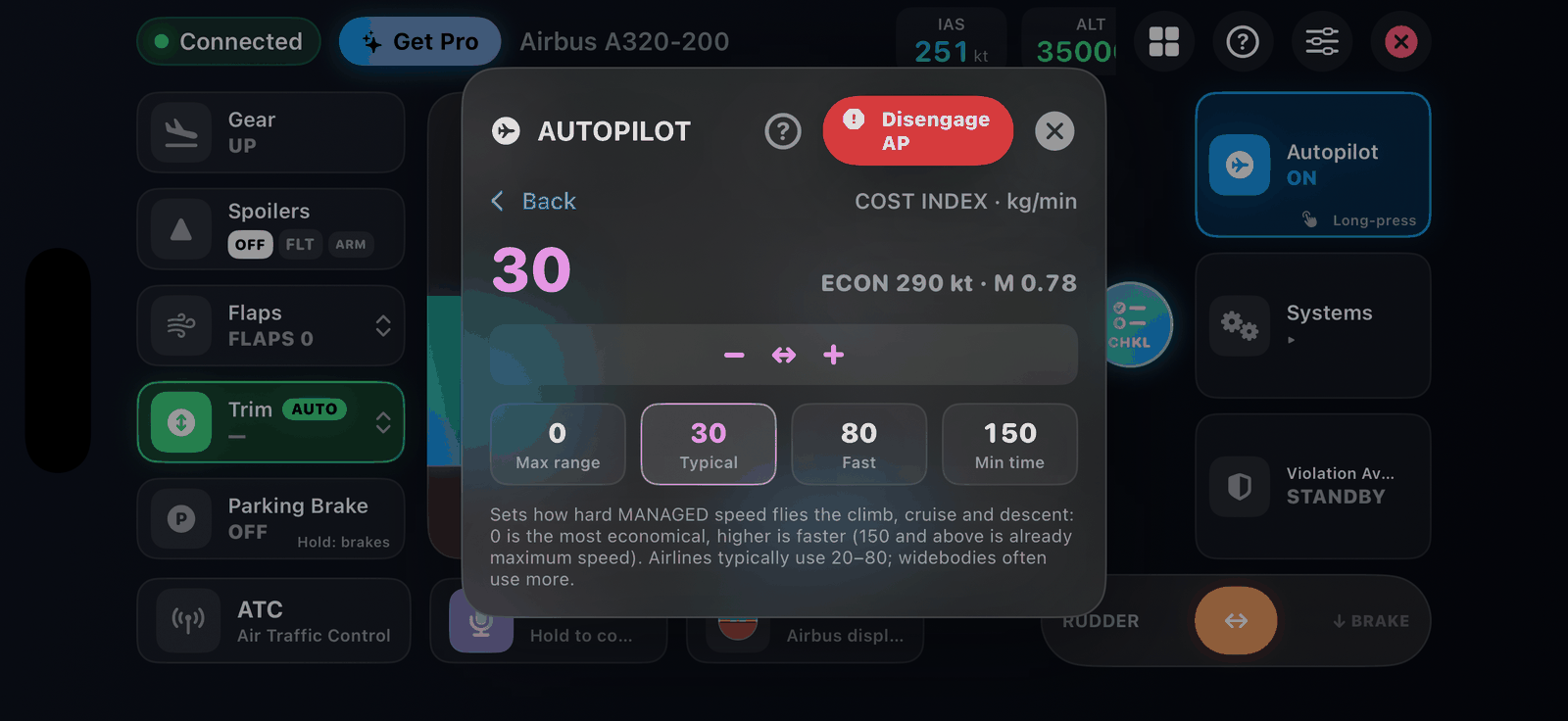
Open the CI cell to set the Cost Index, which decides how fast managed speed flies the climb, cruise and descent. 0 is the most economical; 150 and above is already maximum speed. Airlines typically use 20 to 80.
| Preset | Cost Index |
|---|---|
| Max range | 0 |
| Typical (default) | 30 |
| Fast | 80 |
| Min time | 150 |
Auto-thrust (A/THR)#
With managed speed active, SkyYoke's auto-thrust drives the throttle lever to hold the target and shows an A/THR tag on the lever. Tap the tag to disconnect it. It retards to idle on touchdown. See Throttle.
Learn it in the app#
The ? button in the autopilot panel opens a five-step Managed & Open Modes guide. It also appears once by itself, on the ground or with the autopilot on.