
Takeoff and go-around (TO/GA)
Use SkyYoke's TO/GA button to set takeoff or go-around thrust with a double-tap, choose a custom takeoff thrust and enter V-speeds.
The TO/GA button beside the yoke sets takeoff thrust in one gesture, like the real TOGA switches. Double-tap it and the engines spool smoothly to takeoff thrust over about three seconds.
- Line up on the runway and complete the Before Takeoff checklist.
- Double-tap TO/GA. The engines spool up to 95% thrust.
- Fly the takeoff with the yoke. SkyYoke calls V1, Rotate and V2 if callouts are on.
- For a go-around, double-tap TO/GA again in the air to bring the engines back to takeoff thrust.
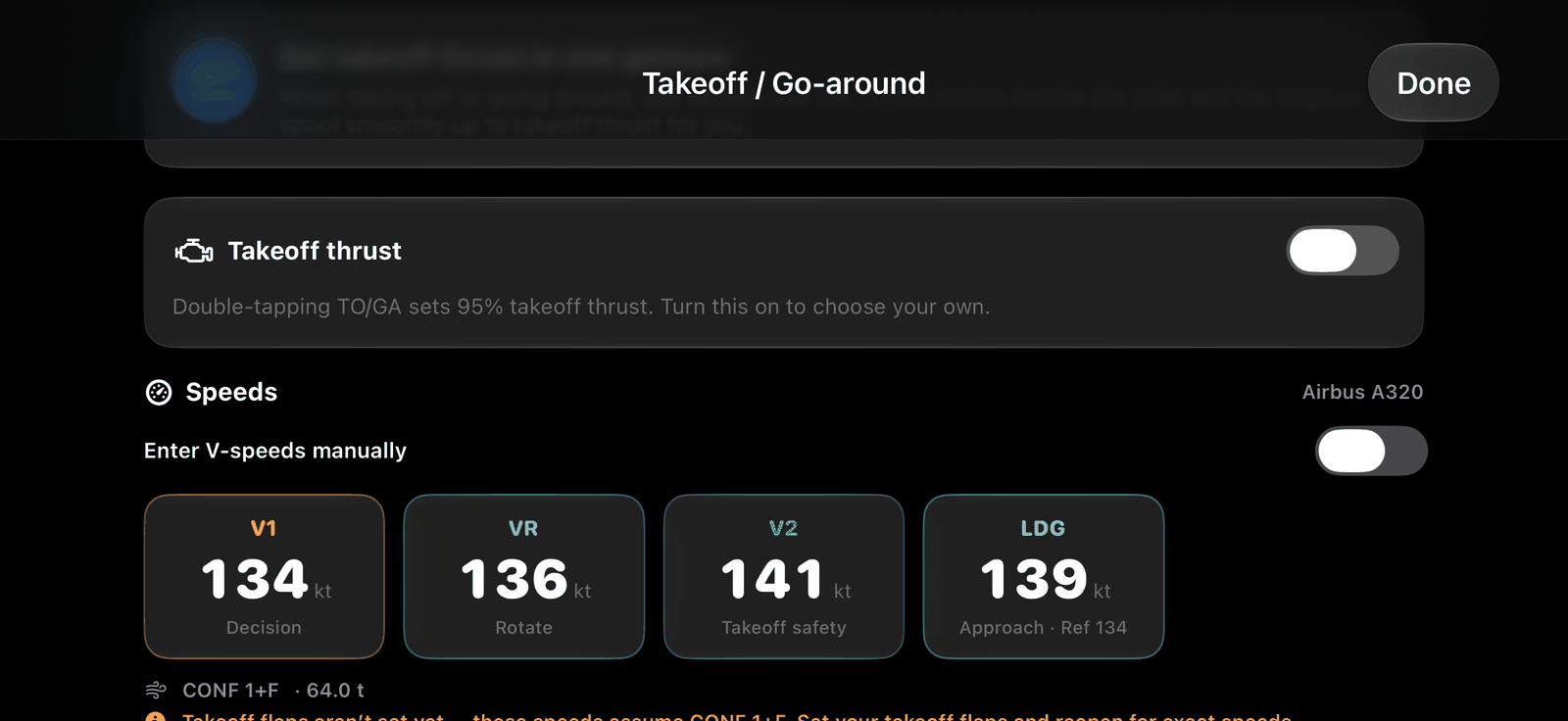
Single tap: the Takeoff / Go-around sheet#
Tap TO/GA once to see:
- Speeds: V1 (Decision), VR (Rotate), V2 (Takeoff safety) and LDG (approach reference), estimated from the aircraft type and live weight.
- Enter V-speeds manually: type your own speeds. They drive the V1, Rotate and V2 callouts and the PFD speed bugs until you turn this off or change aircraft. SkyYoke warns if the order is wrong or a value is unusual for the aircraft.
- Takeoff thrust: turn on to choose your own value between 50% and 100% instead of 95%. A custom value clears after liftoff, so a go-around always returns to 95%.
Rules#
- In Infinite Flight, the ground double-tap is refused until the Before Takeoff checklist is complete. The CHKL button flashes red to remind you.
- The button hides above 1,000 ft above the ground.
- Free users are capped at 85% thrust here too. See Free and Pro.
Note
The speeds are estimates for the simulator. They are not for real-world flight.