
Free and Pro
What the free version of SkyYoke includes, its 85% thrust and 500 ft limits, and what SkyYoke Pro unlocks, with plans, free trial and restoring purchases.
SkyYoke is free to download and try. SkyYoke Pro removes the free version's limits and unlocks the advanced features.
Free version limits#
The free version is enough to set up, taxi and try a short flight. Two limits apply:
| Limit | What happens |
|---|---|
| 85% thrust | The throttle and TO/GA stop at 85%. Keep pushing for three seconds and Subscribe to unlock full thrust appears. |
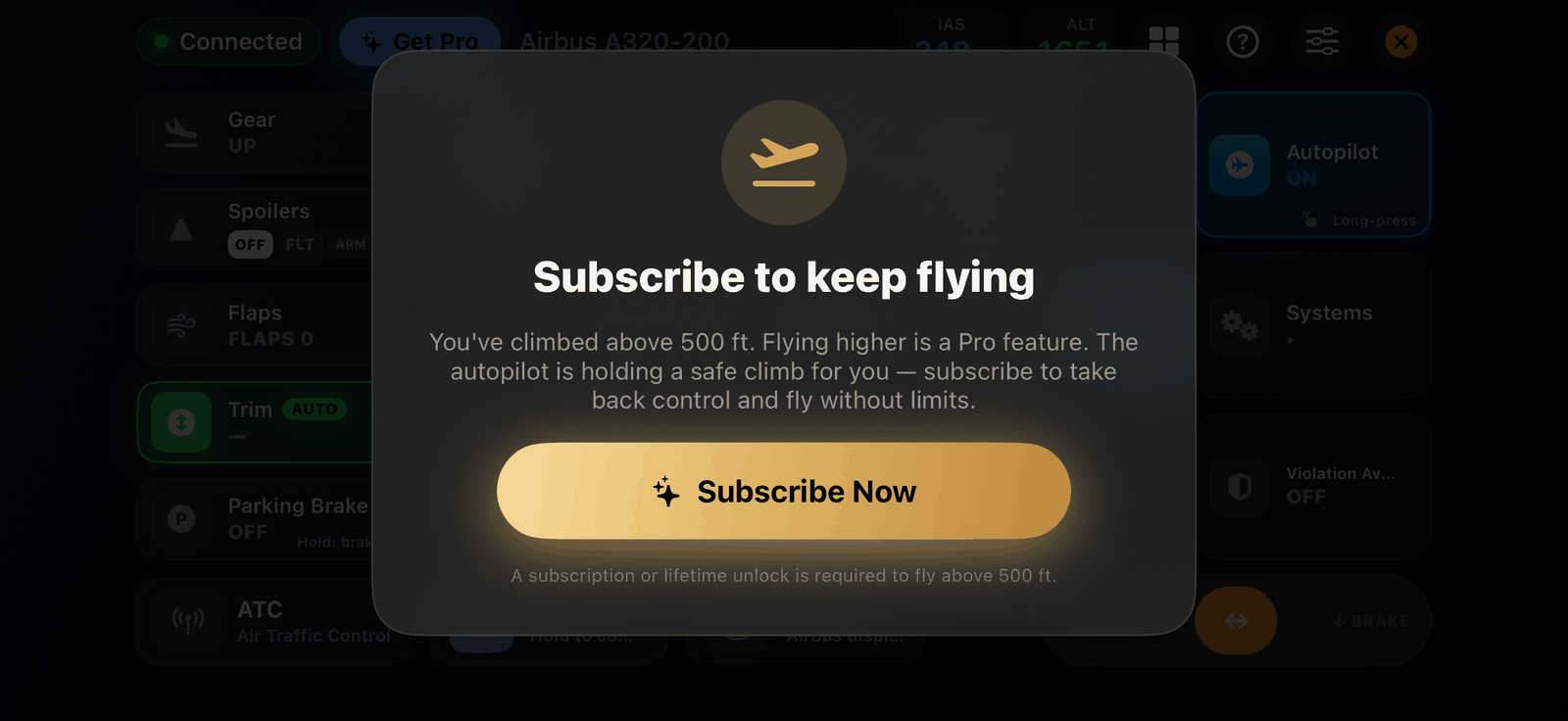
| 500 ft for 60 seconds | After 60 seconds more than 500 ft above the ground, a Subscribe to keep flying screen covers the cockpit. Before it appears, SkyYoke sets the autopilot to a safe climb (240 kt, +400 ft/min, current heading) so the aircraft is never left uncontrolled. Only Pro removes it. |
What Pro unlocks#
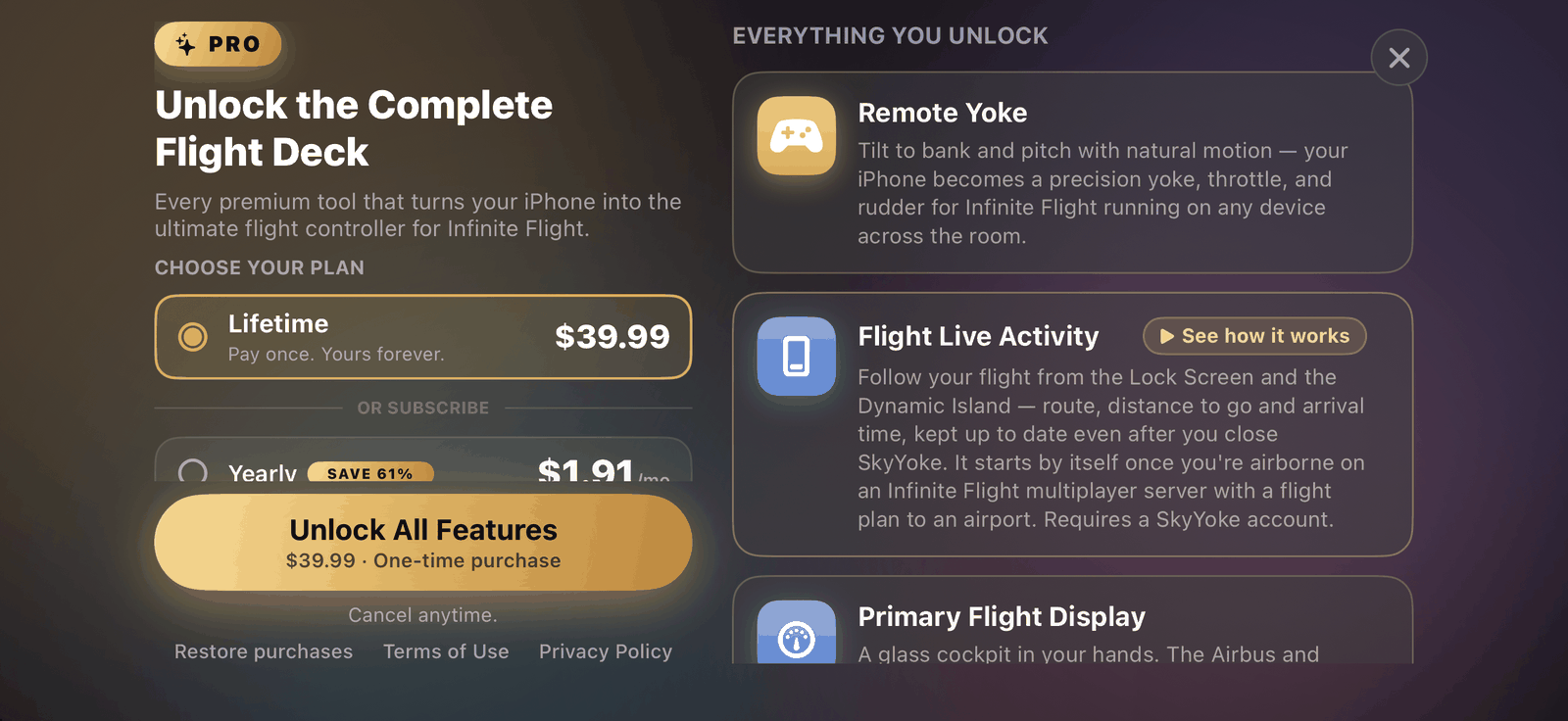
- Full thrust and unlimited flying
- Violation Avoidance System
- AI Voice Commander
- Checklist co-pilot read-along and the realistic co-pilot voice
Everything else in this wiki works in both versions.
Plans#
| Plan | Billing |
|---|---|
| Lifetime | Pay once, yours forever |
| Annual | Renews every year |
| 6-month | Renews every six months |
| Monthly | Renews every month |
Prices are shown in your local currency in the app. When the App Store offers a free trial for a plan, the button reads Start Free Trial. Subscribers can move to Lifetime from the Pro screen.
Buying and restoring#
- Tap Get Pro in the cockpit's top bar or on the Performance screen.
- You do not need an account to buy: subscribe now and sign in later, and your purchase links automatically.
- On a new iPhone, or after reinstalling, tap Restore purchases in the Pro screen or your account.
- Subscriptions are billed by Apple. Cancel or change them in the iPhone's Settings → your name → Subscriptions.