
Moving map
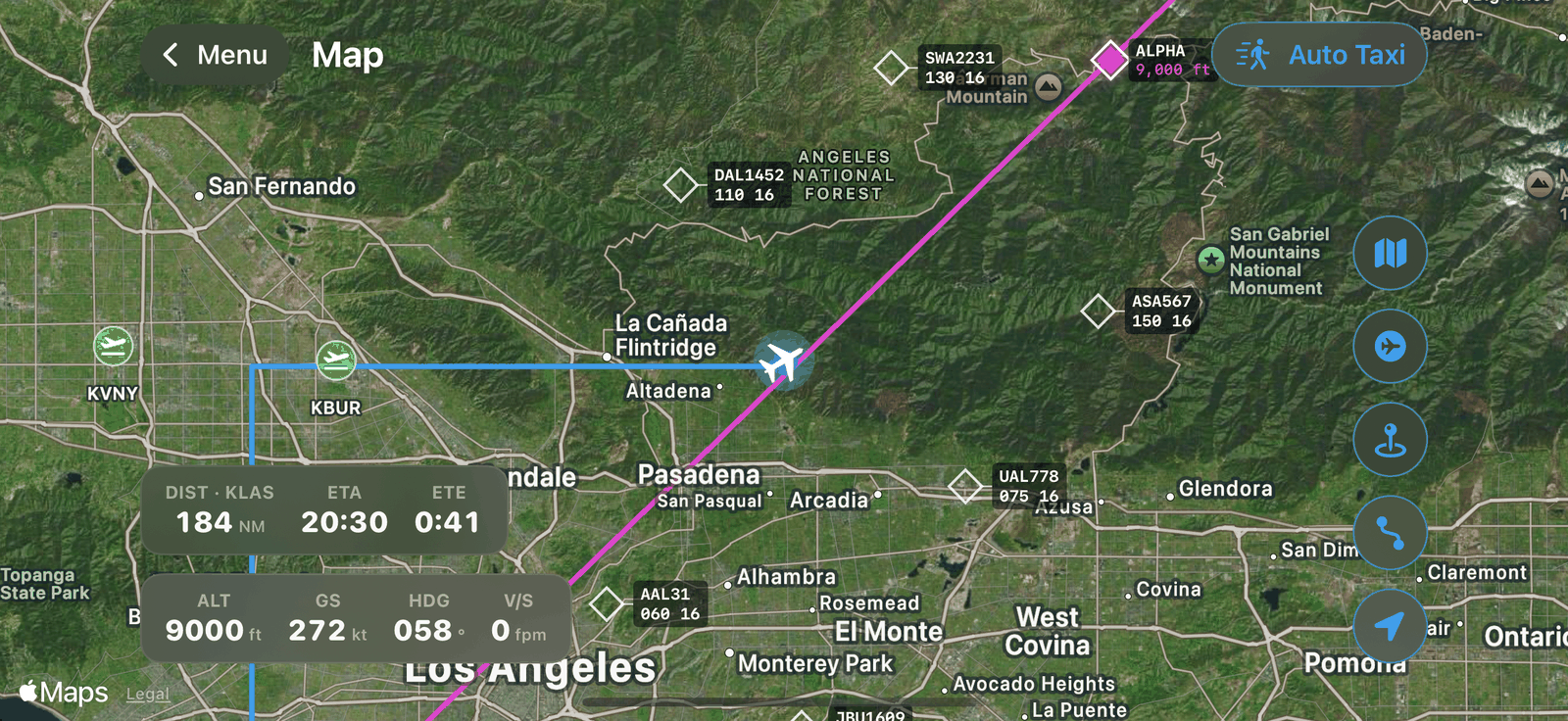
SkyYoke's live moving map for Infinite Flight shows your aircraft, traffic, airports and flight plan with distance, ETA and ETE to your destination.
The Map follows your aircraft in real time Infinite Flight. Open it from the Flight Menu.
What it shows#
- Your aircraft, smoothly animated, with its position from Infinite Flight (not the iPhone's GPS).
- Traffic: other aircraft with data blocks and true-scale silhouettes. Aircraft on the ground are always shown.
- Airports near you.
- Your flight plan route.
- An info strip with altitude (ALT), ground speed (GS), heading (HDG), vertical speed (V/S), and distance (DIST), estimated time of arrival (ETA) and time en route (ETE) to your destination.
Map buttons#
| Button | Action |
|---|---|
| Satellite | Switch between satellite and map view |
| Traffic | Show or hide traffic |
| Airports | Show or hide nearby airports |
| Flight plan | Show or hide your route |
| Recenter | Move the map back onto your aircraft |
| Auto Taxi | Plan a hands-free taxi. See Auto Taxi. |
Tap for details#
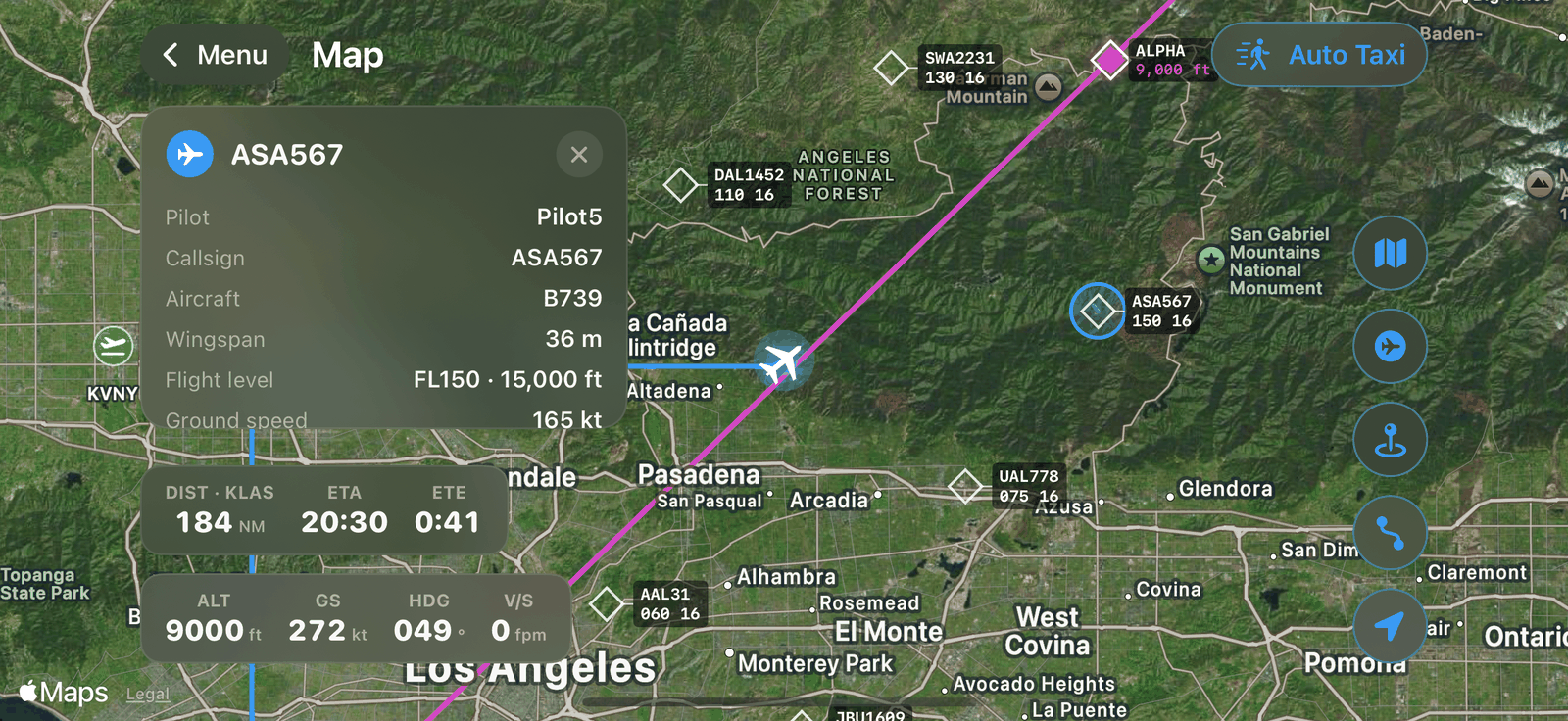
- Tap an aircraft to see the pilot, callsign, aircraft type, wingspan, flight level and ground speed.
- Tap an airport to see its runways (length and paved or unpaved) and the simulator's wind, including gusts.
Note
If the map says Position unavailable, this aircraft or Infinite Flight version does not report its position, so the map cannot be shown.