
Bind your axes
Use SkyYoke's 10-step Setup Guide to bind Roll, Pitch, Throttle, Rudder, the reverse thrust button and the camera hat in Infinite Flight's controller settings.
Infinite Flight treats SkyYoke as a game controller, so each continuous control must be assigned once in Infinite Flight's controller settings. SkyYoke's Setup Guide walks you through it and lets you move each control while Infinite Flight is listening.
The guide opens by itself the first time you choose Infinite Flight. You can open it any time with the ? button on the connection screen or in the cockpit.
- Enable Connect. Turn on Enable Infinite Flight Connect in Infinite Flight's Settings → General, on the same Wi-Fi as the iPhone.
- Connect. Pick your device or type its IP address. Next stays disabled until SkyYoke is linked.
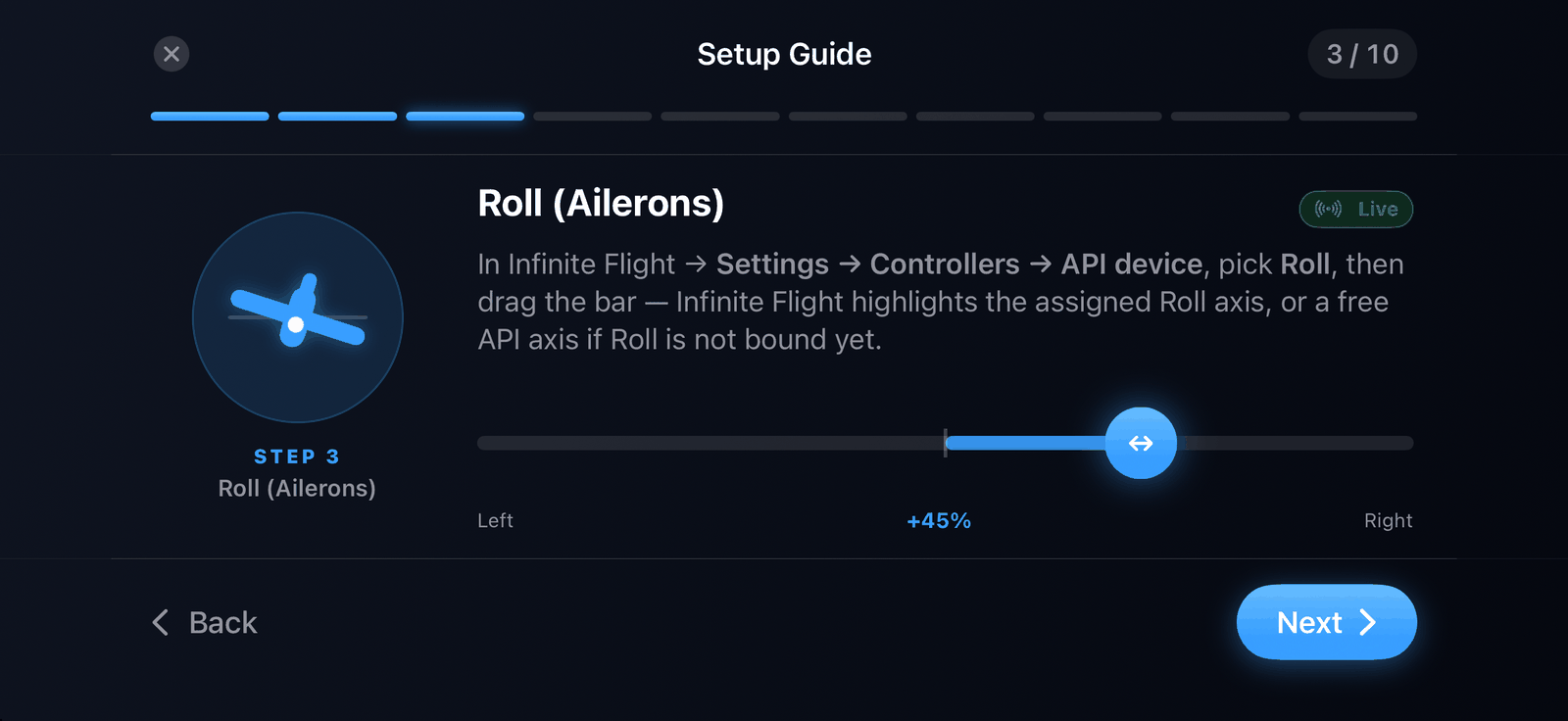
- Roll (ailerons). In Infinite Flight open Settings → Controllers → API device, pick Roll, then drag SkyYoke's bar left and right until Infinite Flight assigns the axis.
- Pitch (elevator). Pick Pitch in Infinite Flight, then drag the bar.
- Throttle. Pick Throttle, then sweep the bar from idle to full.
- Yaw (rudder). Pick Yaw / Rudder, then drag the bar.
- Reverse thrust (button 0). Pick Reverse Thrust in Infinite Flight, then press and hold SkyYoke's button so Infinite Flight binds button 0.
- Camera POV (hat). Assign the camera Look control to the POV hat in Infinite Flight, then swipe SkyYoke's pad.
- Buttons. Nothing to do: autopilot, flaps, gear and brakes work by command name.
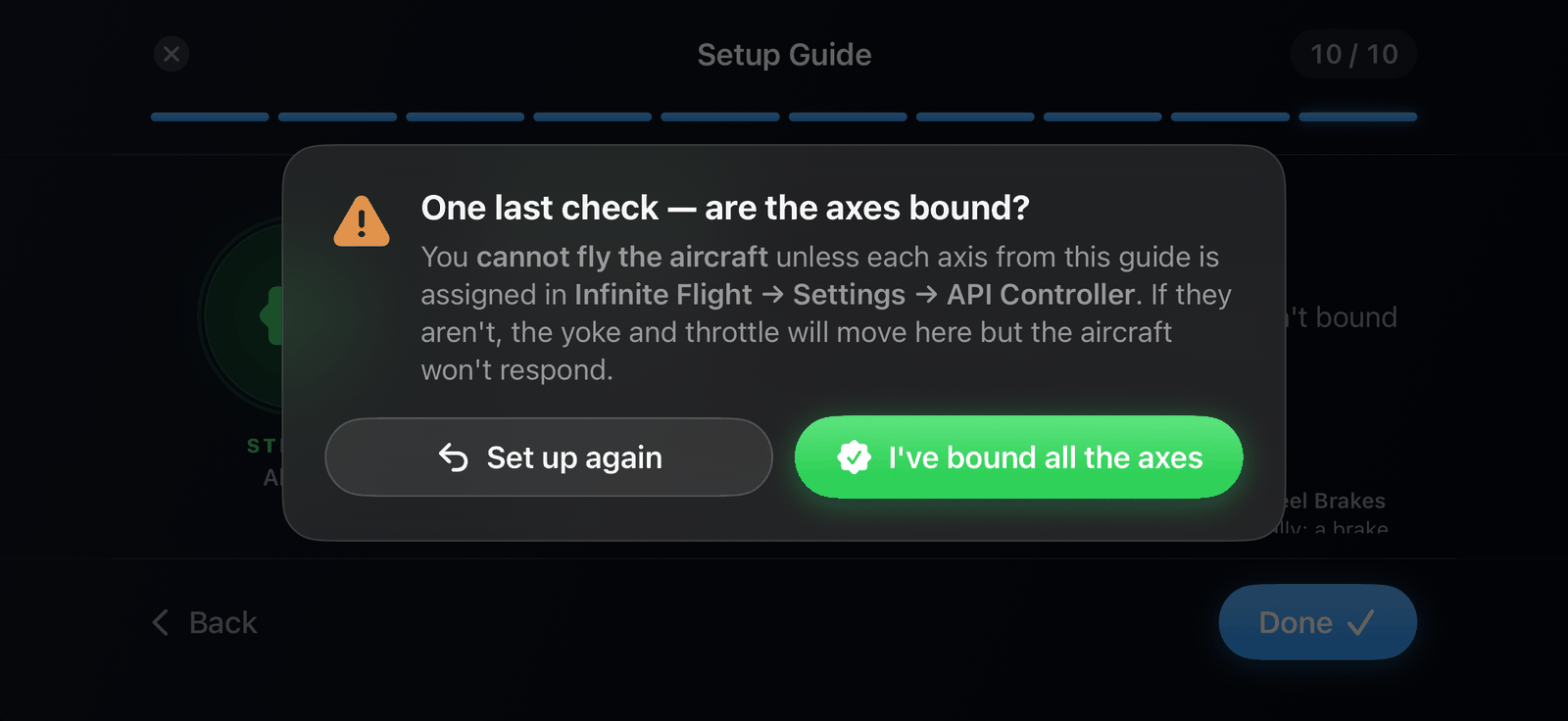
- All set. Read the troubleshooting tips and tap Done, then confirm I've bound all the axes.
How binding works#
Each binding step shows a live bar. While you drag it, SkyYoke moves the matching axis in Infinite Flight, and Infinite Flight highlights it so you can assign it. The label under the bar says Live — moving this drives Infinite Flight when connected, or Preview when not.
The final check#
When you tap Done, SkyYoke asks "One last check — are the axes bound?" You cannot fly until each axis is assigned in Infinite Flight; otherwise the yoke and throttle move in SkyYoke but the aircraft does not respond. Tap I've bound all the axes to unlock the cockpit.
Until you confirm, the cockpit shows a Finish the setup to fly overlay that leads back to the guide.
After an app update#
If an update changes how SkyYoke drives an axis, the cockpit shows Re-configure your axes once. Run the guide again and confirm to continue.
If something does not move#
- An axis does not respond: it is not bound in Infinite Flight yet. Repeat steps 3 to 6.
- Reverse pushes forward or does nothing: the reverse button from step 7 is not bound.
- The wheel brakes stay on at low speed: in Infinite Flight, unbind Axis 4 → Wheel Brakes. SkyYoke now taps the brake button itself, and a brake axis left bound rests at about 50% brake.
- Reverse only works on the ground with the throttle at idle. Below 40 kt the throttle's red zone applies the wheel brakes instead. See Throttle, reverse thrust and brakes.