
Performance calculation
Estimate takeoff and landing V-speeds, check runway length and wind, and plan weight and fuel for your Infinite Flight aircraft with SkyYoke's performance calculator.
The Performance Calculation screen estimates the speeds and runway you need for takeoff and landing Infinite Flight. Open it from the Flight Menu.
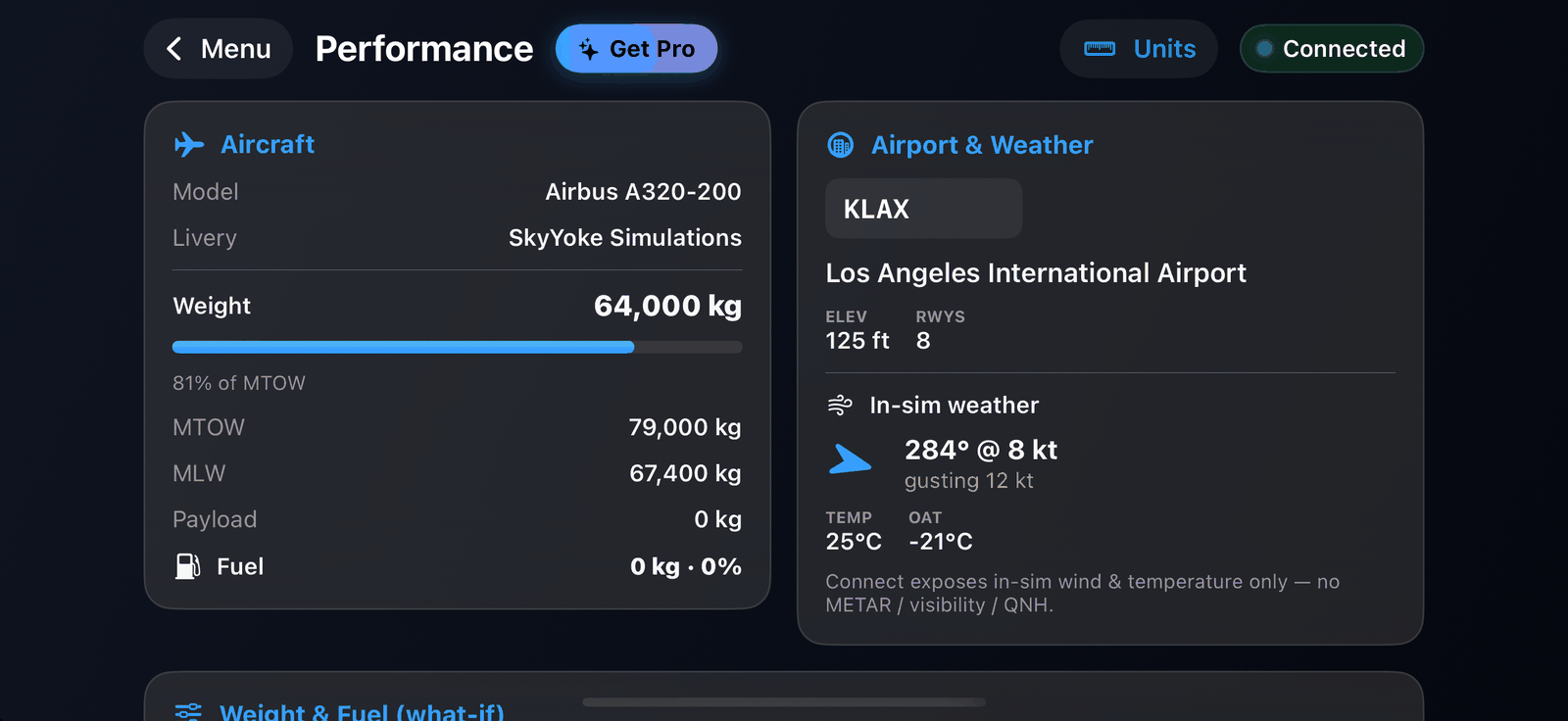
Aircraft and loadout#
The top shows your aircraft, livery, total weight against its maximum takeoff weight (with a warning if you are over), landing weight, payload and fuel.
You can edit a what-if loadout: empty weight, maximum weights, total fuel, each tank and each load station, with fields and sliders. Totals and speeds update as you change them. These edits stay in SkyYoke and never change your Infinite Flight aircraft; you can reset to the live values at any time.
Airport and weather#
SkyYoke reads the nearest airport from Infinite Flight and shows its name, elevation and runways from a built-in airport database. The airport follows your position until you type another ICAO code; Current switches back.
Weather comes from the simulator: wind direction and speed (with gusts) and temperature.
Runways and speeds#
Choose the takeoff and landing runways (the longest is picked first). Each shows its length, heading, surface, and the headwind or tailwind and crosswind from the current wind.
SkyYoke then estimates:
| Speed | Meaning |
|---|---|
| V1 | Decision speed: the last moment to reject a takeoff |
| VR | Rotation speed |
| V2 | Takeoff safety speed |
| VREF | Landing reference speed |
| VAPP | Approach speed, VREF plus a wind correction |
It also checks runway adequacy: whether the runway is long enough, marginal or too short for your weight, the density altitude and the wind.
These speeds automatically arm the V1, Rotate and V2 callouts and the PFD speed bugs.
Your own speeds#
If you have speeds from another tool, use Enter V-speeds manually in the TO/GA sheet. SkyYoke checks they are in the right order and flags values that are unusual for the aircraft.
Units#
Choose kilograms or pounds, feet or metres, °C, °F or K, and knots, km/h or mph. Your choice is remembered.
Warning
All figures are estimates for the simulator, based on aircraft type and weight. Never use them for real-world flight.