
Cockpit displays
SkyYoke's HUD strip, TCAS traffic radar, Airbus A320 and Boeing 777 style primary flight displays, engine displays and navigation display for Infinite Flight.
SkyYoke shows flight data on the phone so you can fly by the instruments, not just the simulator's screen.
HUD strip#
The top bar of the cockpit screen always shows indicated airspeed (IAS), altitude (ALT), heading (HDG), vertical speed (V/S), whether you are on the ground or airborne, and the spoiler state.
The display button#
In Motion Yoke mode, the pad in the middle of the cockpit shows one display at a time. The display button at the bottom, beside the AI Voice microphone, switches between them:
- Tap to step to the next display: radar, then PFD, then the engine display, then back.
- Press and drag to pick one directly.
The PFD and engine displays appear when Infinite Flight gives SkyYoke the aircraft's attitude data, which it does for most airliners.
Traffic radar and navigation display#
The default view is a TCAS traffic radar: other aircraft around you with their relative altitude, coloured by threat level, plus speed and altitude tapes at the sides. Tap the range chip to change the radar range.
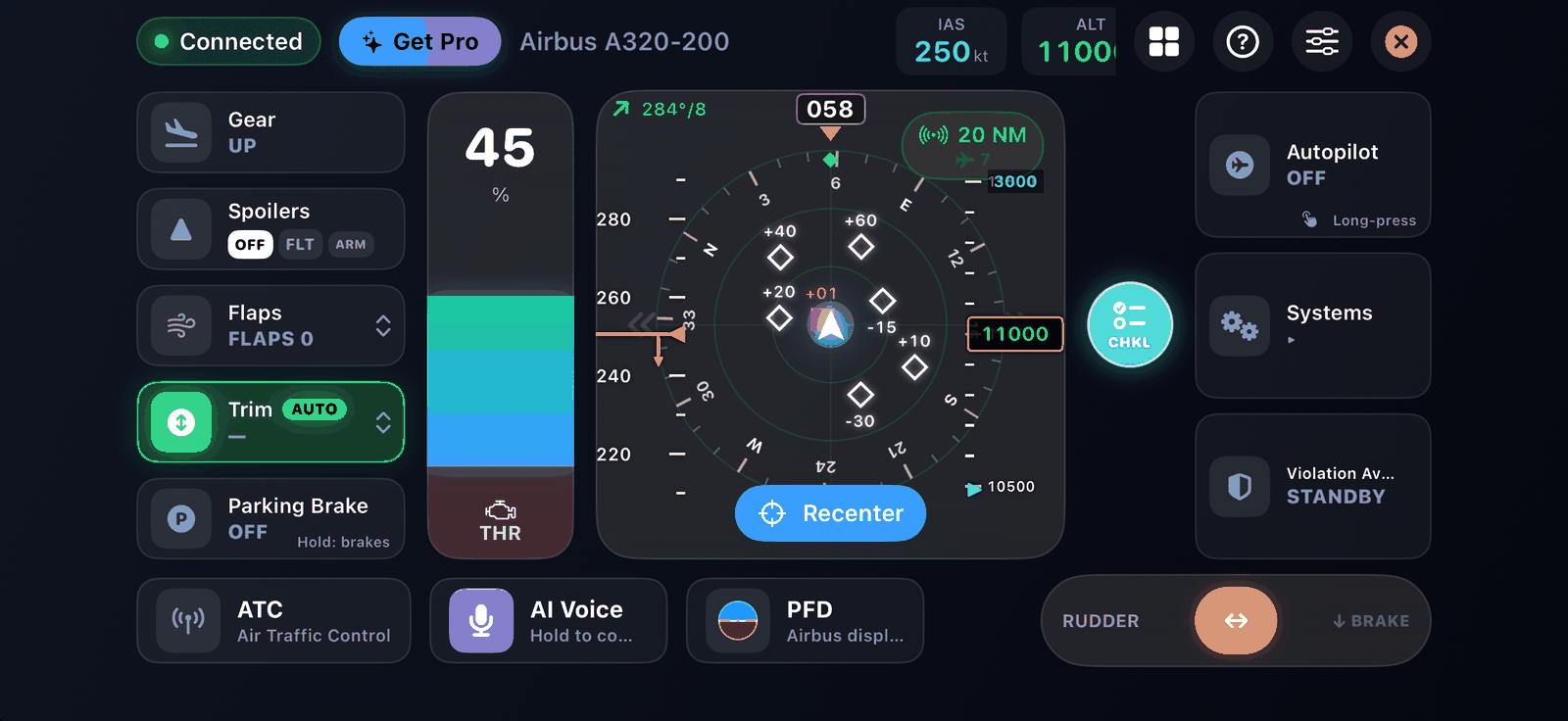
On Airbus and Boeing aircraft the radar becomes a replica navigation display (A320 ROSE NAV or Boeing 777 MAP) that also draws your flight plan route, waypoints and traffic. Tap the range chip to step through 10, 20, 40 and 80 NM.
Primary flight display (PFD) Airbus Boeing#
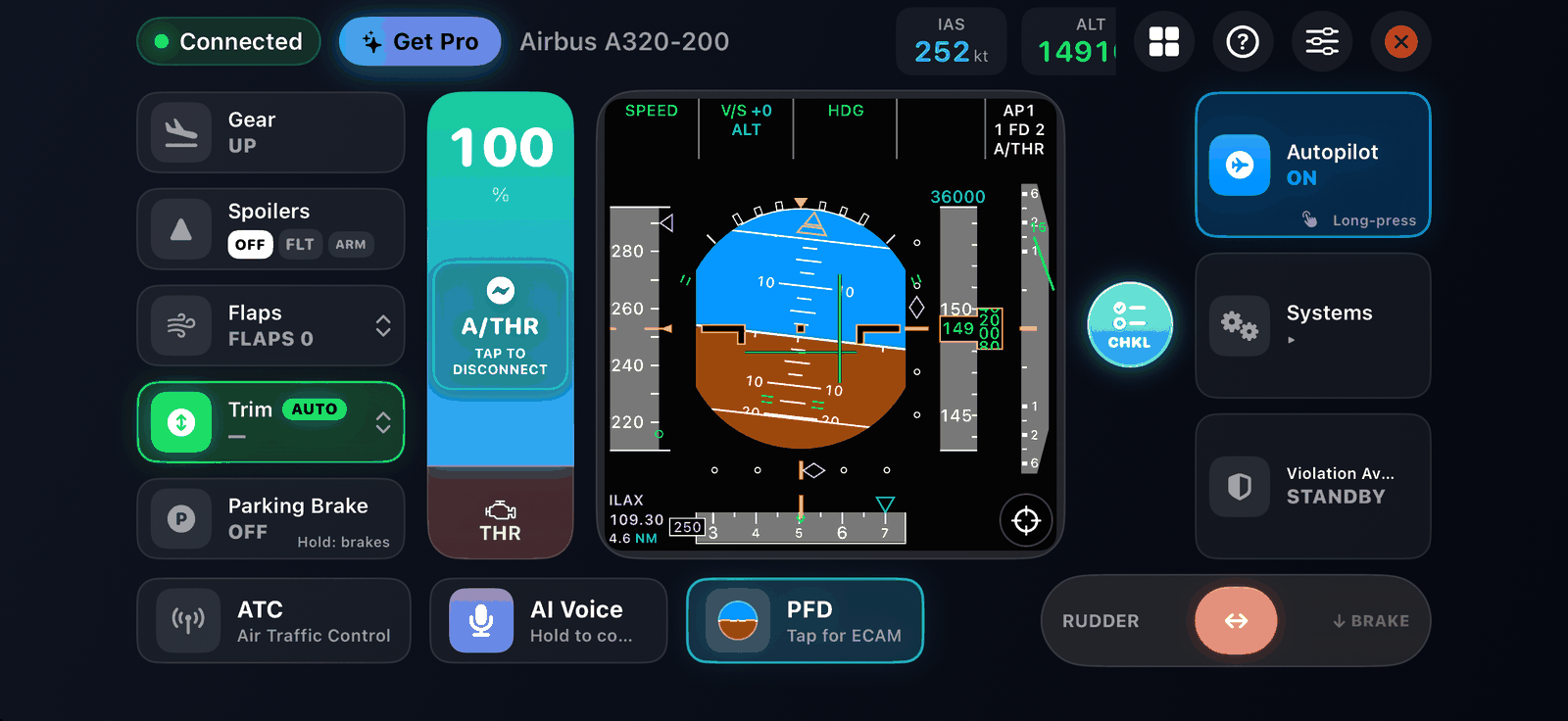
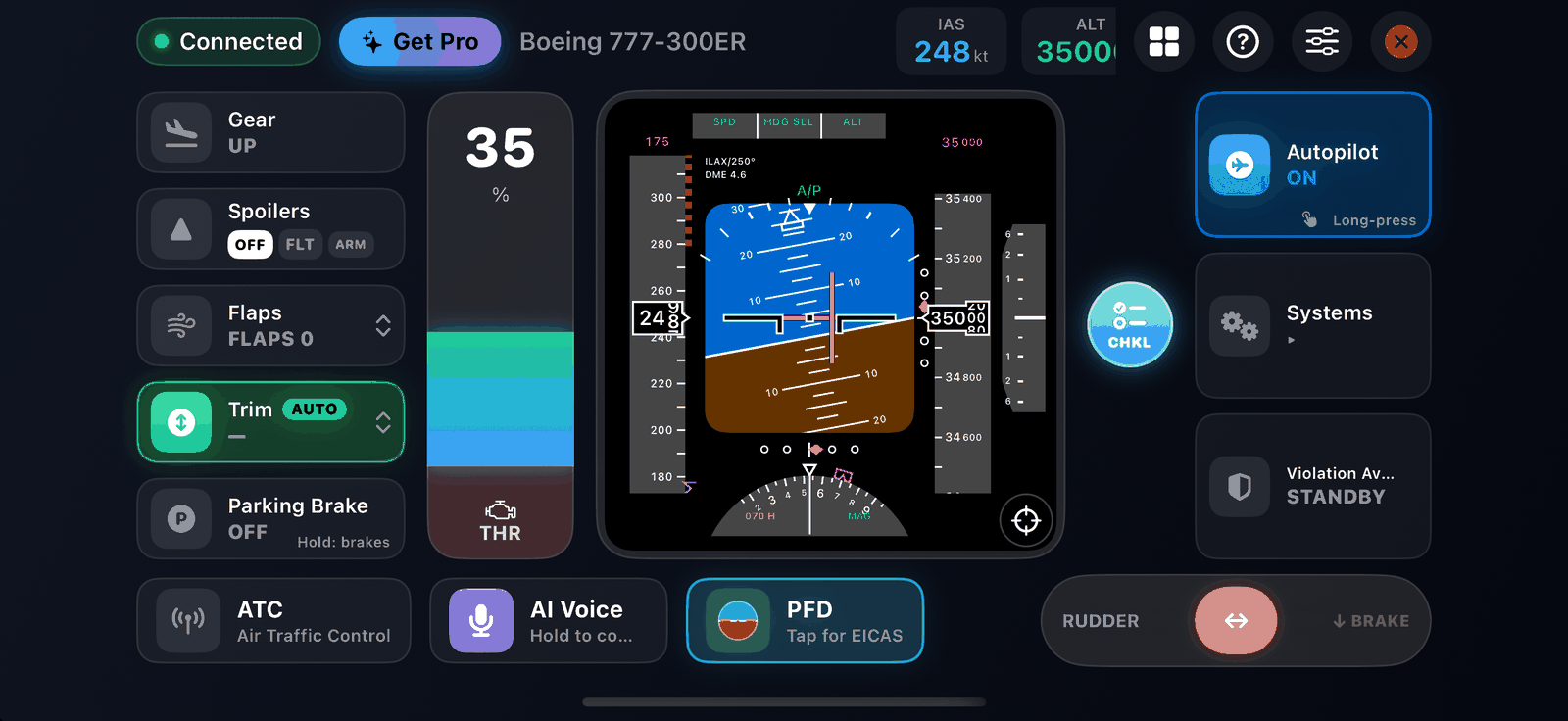
A full PFD drawn in the style of the aircraft you fly:
- Airbus aircraft get an A320-style PFD: attitude, speed tape with V-speed bugs, altitude tape, vertical speed, heading and the flight mode annunciator.
- Boeing aircraft (737, 747, 757, 767, 777 and 787) get a 777-style PFD, which also draws TCAS resolution advisory bands.
GPWS terrain alerts show on the PFD as a red PULL UP or amber flag.
Engine display Airbus Boeing#
- Airbus: the upper ECAM E/WD, with engine gauges, flap and slat position and memos.
- Boeing: the EICAS, with engine gauges and status.
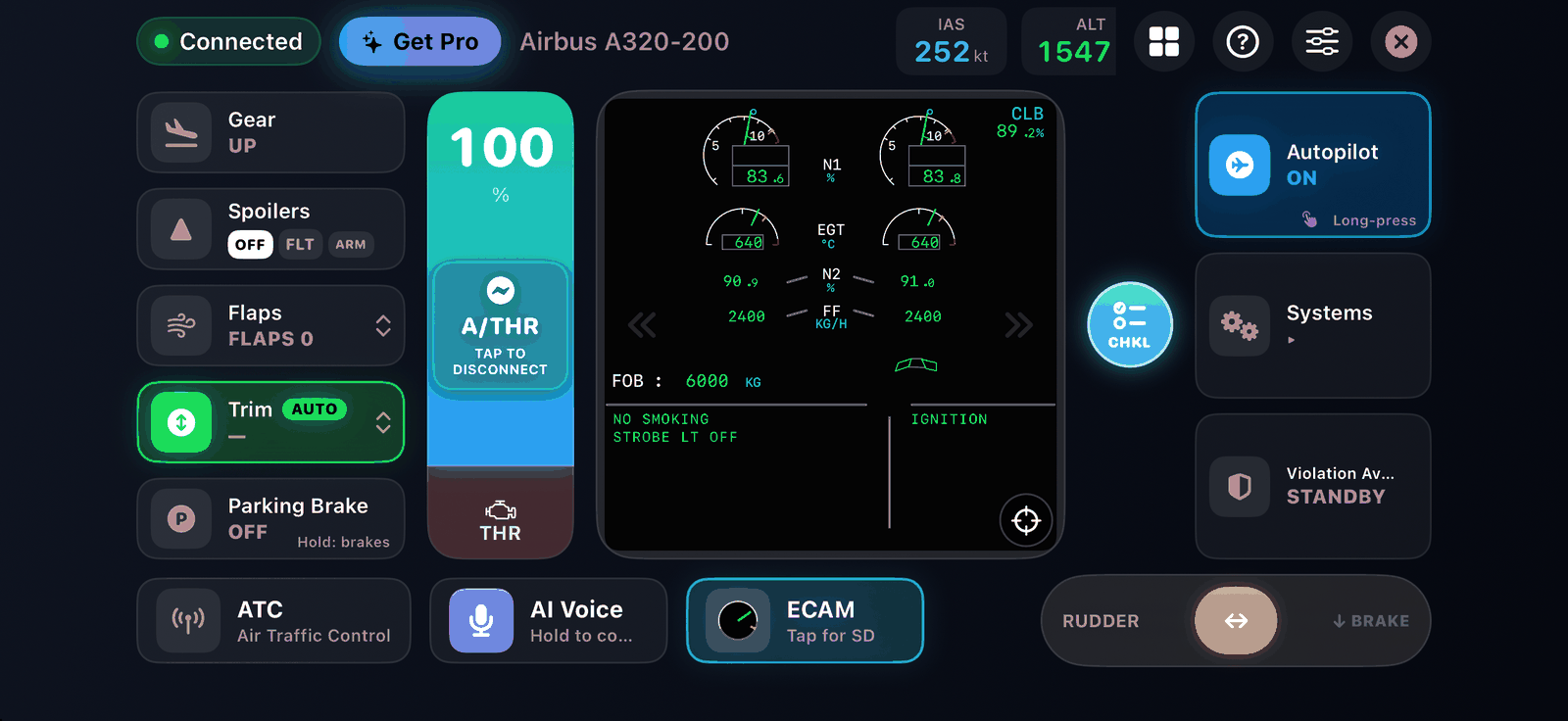
The checklist co-pilot can switch to the engine display by itself when a checklist item asks you to check it. See Checklists.